System Requirements#
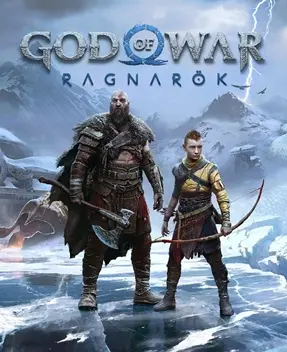
God of War Ragnarök PC official specs come in five tiers: from the GTX 1060 for 1080p Low at a 30 FPS average, to the RTX 2060 Super for 1080p 60 FPS, with 4K 60 FPS needing an RTX 3080 Ti-class GPU — plus a universal floor of 6GB VRAM and a 190 GB SSD.
What are the official PC system requirements?#
The PC spec numbers have exactly one authoritative source: God of War Ragnarök PC System Requirements at Santa Monica Studio’s official support center (published and updated 2024-08-13). The official specs split into Minimum, Recommended, High, Performance, and Ultra tiers, and each tier’s targets are calculated at “native resolution, no upscaling of any kind” — the most commonly mistaken point: the official numbers are a “bare machine” baseline, so hitting a tier should deliver its resolution and framerate as-is. Conversely, turning on DLSS/FSR/XeSS upscaling can push the same card roughly half a tier to a full tier higher (pairing ideas below).
| Tier | Visual target (native, no upscaling) | GPU (NVIDIA) | GPU (AMD) | CPU (Intel) | CPU (AMD) | RAM |
|---|---|---|---|---|---|---|
| Minimum | 1080p, Low, 30 FPS average | GeForce GTX 1060 | Radeon RX 5500 XT | i5-4670K | Ryzen 3 1200 | 8 GB |
| Recommended | 1080p, Medium, 60 FPS average | GeForce RTX 2060 Super | Radeon RX 5700 | i5-8600 | Ryzen 5 3600 | 16 GB |
| High | 1440p, High, 60 FPS average | GeForce RTX 3070 | Radeon RX 6800 | i7-7700K | Ryzen 7 2700X | 16 GB |
| Performance | 4K, High, 60 FPS average | GeForce RTX 3080 Ti | Radeon RX 6900 XT | i7-7700K | Ryzen 7 2700X | 16 GB |
| Ultra | 4K, Ultra, 60 FPS average | GeForce RTX 4070 Ti | Radeon RX 7900 XT | i5-11600K | Ryzen 7 3700X | 16 GB |
The five tiers share the same set of common requirements, so no per-tier checking is needed:
- Operating system: Windows 10 64-bit (identical across all five tiers). The Steam store page notes 20H1 build onward; the Epic store page is more precise — Windows 10 2004 (build 19041) minimum.
- Graphics API: DirectX 12.
- Storage: 190 GB SSD (identical across all five tiers); mechanical drives are outside the official baseline.
- VRAM hard floor: The official support center states plainly that “a GPU with 6GB of VRAM is required to run God of War Ragnarök”; cards below that spec don’t end with “low FPS” — they crash outright.
One detail to note while reading the table: the High and Performance tiers have identical CPU requirements (i7-7700K or Ryzen 7 2700X) — the entire gap sits on the GPU: RTX 3070 → RTX 3080 Ti, RX 6800 → RX 6900 XT. The official message is plain: going from 2K to 4K mainly tests the graphics card, not the processor.
What can each tier actually run?#
All official targets are “average framerates”, not locked caps: in heavy-load scenes (large battles, visually complex areas with all effects on) the framerate will dip below target briefly — that is normal for an average-based metric and does not mean your rig is insufficient. Each tier’s experience positioning:
| Tier | Matching display | Experience positioning |
|---|---|---|
| Minimum | 1080p monitor or TV | The “playable” tier: 1080p Low at a 30 FPS average, for players who don’t mind fluidity and play for the story |
| Recommended | 1080p monitor | The complete experience on mainstream 1080p devices: Medium at a 60 FPS average, combat feels fine |
| High | 2K (1440p) monitor | A 60 FPS average at 2K, balancing visuals and fluidity |
| Performance | 4K TV or monitor | 4K High at a 60 FPS average — the value tier for big-screen players |
| Ultra | 4K TV or monitor | 4K Ultra at a 60 FPS average — the flagship tier with headroom for the future |
Two mechanical-level reminders:
- A 30 FPS average is not a locked 30 FPS. The Minimum tier is positioned as “entry-level playable”, and the framerate will fluctuate when combat effects stack up; for a melee-combo-first action game like this, move up to the Recommended tier’s 60 FPS if you can.
- All framerate targets assume native resolution. If your GPU outruns its tier, or your screen resolution is below what the card can drive, upscaling yields framerates beyond the tier target — that’s exactly the next section.
What happens with less than 6GB VRAM?#
The studio published a dedicated support article titled “A GPU with 6GB of VRAM is required to run God of War Ragnarök”. This is not advice — it is a hard floor: GPUs with insufficient VRAM crash outright at startup, not “run a bit uglier at lower settings”. The correspondence is explicit too — the Minimum tier’s GTX 1060 is precisely a 6GB VRAM model, a threshold set at “just over the line”.
- Older cards below 6GB (the 4GB tier and under): do not meet the run conditions; don’t waste the 190 GB install time.
- Cards with exactly 6GB: the game runs, but you’re on the line — don’t push texture options or resolution higher.
- For diagnosing and fixing startup crashes suspected of VRAM insufficiency, see Crash and Black Screen Fixes.
What GPU do you need for ray tracing?#
Conclusion first: the officials never released a ray-tracing-specific spec tier. The five-tier table has no ray-tracing column, no official line on “minimum GPU for ray tracing” exists, and any specific numbers circulating online are not official. The official description of PC ray tracing is one marketing feature line: enhanced reflections, lighting, and higher-fidelity shadows.
No official numbers doesn’t mean no judgment is possible. Based on how ray tracing works, three practical tests:
- Ray tracing swaps reflections, lighting, and shadows from “approximation” to “real-time ray computation”, so the load is necessarily higher than the same tier with it off — cards exactly at a tier will run below that tier’s target with ray tracing on. That’s a rule, not an exception.
- To enable ray tracing without giving up too many frames, the right move is pairing it with upscaling (DLSS/FSR/XeSS) to claw frames back, not tanking native resolution.
- Cards that only meet the Minimum tier should skip ray tracing entirely: stacking ray-tracing load on top of the 6GB VRAM floor sacrifices stability first.
How to pair upscaling, frame generation, and latency reduction?#
God of War Ragnarök on PC supports three upscaling solutions plus a full latency toolkit: NVIDIA DLSS 3.7 (with frame generation), AMD FSR 3.1, Intel XeSS 1.2, and NVIDIA Reflex for input latency. Output options include 4K, uncapped framerate, and 21:9 and 32:9 ultrawide.
Pairing tests, split by your goal:
- Chasing framerate: pick by GPU brand — DLSS on RTX cards, FSR on AMD cards, XeSS on Intel cards. Upscaling renders internally at a lower resolution and upscales back to output resolution; the higher the output resolution (the 4K tier), the greater the framerate gain.
- Framerate barely passes, want more fluidity: add frame generation on top of upscaling. Note that frame generation inserts synthetic frames between two rendered ones — it improves perceived smoothness but does not reduce the underlying render load; when the base framerate is too low, frame-insertion gains are limited. Also, DLSS frame generation had issues at launch; official Patch 2 (late September 2024) fixed them — patch up before using (patch history in Game Updates).
- Chasing input feel: enable NVIDIA Reflex to cut input latency; this is an action game where parry and dodge windows are measured in frames, and latency affects feel more than the framerate number does. Frame generation adds its own latency cost — competitive play is better off without it.
Ultrawide users just need to confirm two points: both 21:9 and 32:9 are on the official support list, and with the framerate cap uncapped you can make full use of a high-refresh panel.
Does it run smoothly on Steam Deck?#
Yes — at an officially certified level: God of War Ragnarök holds the Steam Deck Verified rating and won “Best Steam Deck Game” at the Steam Awards 2024. Smooth handheld play is within Steam’s official messaging; no compatibility-layer fiddling required.
The only thing handheld players must prepare in advance is the account: on Steam Deck, linking a PSN account is mandatory before play (desktop Steam account-to-PSN linking is optional; on Deck it is required). The first launch needs to be online to complete sign-in; after that you can play offline.
How is the controller and keyboard/mouse support?#
- Controllers: DualSense is fully supported, with haptic feedback and adaptive triggers — note that both features need a wired connection to work in full.
- Keyboard and mouse: Fully supported with remappable keys; KBM players get the complete experience without a controller.
- For the full key mappings and control mechanics breakdown, see Controls and Settings.
Pre-purchase self-check: three steps to judge this machine#
- Check the table: compare GPU, CPU, and RAM against the five-tier table above, using “GPU sets the tier” as the rule — same-tier CPU requirements are far below GPU requirements.
- Check VRAM: any GPU below 6GB VRAM is simply ruled out; this one has no room for negotiation.
- Don’t trust third-party detection sites’ auto verdicts: this game has already seen third-party spec-checker sites publish data conflicting with the official line, like “GTX 960 (4GB) minimum GPU” and “90 GB storage” — the GTX 960 fails the official VRAM floor, and the official storage figure is 190 GB. Defer to Santa Monica’s official five-tier table.
After the self-check passes, which edition and region are the better deal — see Price and Buying Guide; for opening ideas once you’re in the game, see Beginner’s Guide and FAQ.
Specs Quick Reference#
| Question | Answer |
|---|---|
| How many official spec tiers? | Five: Minimum/Recommended/High/Performance/Ultra, all targeted at native resolution, no upscaling |
| Minimum GPU? | GTX 1060 (6GB) or RX 5500 XT, for 1080p Low at a 30 FPS average |
| GPU for 4K 60 FPS? | RTX 3080 Ti or RX 6900 XT and up (High); Ultra needs an RTX 4070 Ti or RX 7900 XT |
| VRAM floor? | 6GB, stated in an official dedicated article — falling short crashes outright |
| How much disk space? | 190 GB SSD, identical across all five tiers |
| Official ray-tracing specs? | No — the official five-tier table has no ray-tracing tier and no minimum ray-tracing GPU line |
| Which upscaling? | DLSS 3.7 (with frame generation), FSR 3.1, XeSS 1.2, plus NVIDIA Reflex |
| Steam Deck playable? | Steam Deck Verified; PSN account linking required |
Related pages: Price and Buying Guide · Crash and Black Screen Fixes · Controls and Settings · Game Updates · FAQ · Back to the God of War Ragnarök Guide Hub