Controls and Settings#
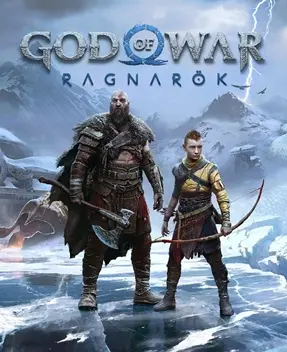
God of War Ragnarök is built around the controller, with combat resting on five action layers: light attack + heavy attack + throw/recall + shield + rage. This page breaks down what every button actually does in combat and explains the game’s signature control mechanics. Button names follow the PlayStation controller (identical bindings on PS4 and PS5).
Basic Button Mapping#
The table below lists Kratos’s default bindings; most actions share the same buttons across all three weapons.
| Action | Button | Combat Role |
|---|---|---|
| Light attack | Square | Fast strings; builds freeze or burn status |
| Heavy attack | Triangle | High single-hit damage; charge for wider range or guard break |
| Charged heavy | Hold Triangle | A slower, more powerful strike; good opener |
| Shield block | Hold L1 | Cuts incoming frontal damage |
| Shield parry | L1 the instant a hit lands | Staggers the enemy and deals counter damage; the core input |
| Aim | Hold L2 | Enter throw aim; lock the target before release |
| Throw weapon | Light attack while aiming | Hurls the Leviathan Axe or the spear |
| Recall weapon | Press Triangle | Recalls a thrown axe, knocking enemies off its path |
| Dodge | Cross | Invincible-frame roll; can dodge twice in a row |
| Spartan Rage | Press both sticks together | Spends the rage meter to enter a frenzy; see below |
| Execution | Get close when an enemy is execution-ready | Triggers a finisher with high area damage |
How the Three Weapons Differ#
The three weapons share base buttons, but each one’s throw-recall logic and combo rhythm differ completely, so build muscle memory for each separately.
| Weapon | Throw Input | Unique Inputs | Key Tip |
|---|---|---|---|
| Leviathan Axe | L2 aim + light attack | Press Triangle to recall; enemies on the path are knocked aside | Throw and recall to reposition while freezing enemies |
| Blades of Chaos | L2 aim + light attack | No recall; the chained blades pull from the hand | Light attacks are sweeping arcs, ideal for clearing mobs up close |
| Draupnir Spear | L2 aim + light attack | Detonate a spear stuck in an enemy after throwing | Throw first, then detonate — the spear’s damage ceiling |
The axe’s recall is not mere retrieval but active battlefield shaping: throw it at a distant enemy, and on the way back it knocks aside several more while freezing the endpoint target. The Blades of Chaos have no “leaving the hand” concept — the chained blades are always connected, so their rhythm is close-range mashing; they lack ranged control in exchange for steady group damage.
Shield: Block and Parry#
Shield play is the most nuanced layer of combat; the key is separating block from parry — two entirely different inputs.
| Input | Button | Effect | When to Use |
|---|---|---|---|
| Block | Hold L1 | Cuts frontal damage, but overly strong attacks break guard | Against routine attack strings |
| Parry | L1 the instant before a hit lands | Fully deflects the attack and staggers the enemy | Against telegraphed single heavy hits |
| Guard sprint | Push direction while blocking | Push forward behind the shield or through attacks | Closing distance or crossing ranged barrages |
A successful parry creates a clear damage window for Kratos: the enemy staggers, and you can follow with light-attack strings or heavy runes. If an enemy attack flashes red, it cannot be blocked at all — dodge only; use the roll’s invincibility frames to get out immediately instead of tanking it.
Spartan Rage#
Press both sticks together (L3+R3) to trigger Spartan Rage and enter a frenzy. The rage meter builds from combat hits and can be spent once full. While raging, Kratos’s attacks gain hyper armor, deal more damage, and lifesteal; popping rage at low health or during a boss’s burst phase is both a lifesaver and a counterattack. Rage drains continuously once activated — enable it only when you are certain to hit enemies, so it is never wasted on empty swings.
Atreus Command Inputs#
Atreus fights alongside you the entire way; you command him directly with the buttons below, no character switching required.
| Action | Button | Combat Role |
|---|---|---|
| Atreus aim | L2 (light tap in combat) | Enter his bow aim |
| Atreus shot | Light attack while aiming | Fire arrows to build enemy stun |
| Runic arrows | L1+Square / L1+Triangle | Fire runic arrows with wolf pack or shock effects |
| Runic summon | When his skill is ready | Summon wolves and other creatures to attack or draw aggro |
Atreus’s value lies in support rather than damage: his arrows build stun quickly, and a full stun bar triggers an execution; some runic summons draw enemy aggro, creating a safe damage window for Kratos. In combat, make “keep Atreus shooting” muscle memory rather than something you only notice in cutscenes.
Movement and Exploration Inputs#
| Action | Button | Notes |
|---|---|---|
| Move | Left stick | Controls Kratos’s positioning |
| Camera | Right stick | Controls the view; adjust frequently in over-the-shoulder view |
| Jump | Cross | Clears obstacles and gaps |
| Roll | Cross | The main combat dodge |
| Sprint | Flick the stick twice | Short quick dash |
| Interact | Square | Loot, chests, climbing, puzzle mechanisms |
| Open menu | Touchpad | Pause and enter the gear and skills interface |
| Map | Touchpad (in menu) | View the realm map and objective guidance |
Nearly every exploration interaction lands on Square — lifting stones, opening chests, triggering rune locks, climbing scenery — so when a button prompt appears on screen, just press Square; there is no need to memorize different inputs per interaction.
Combat Assists and Accessibility Settings#
The game offers over sixty accessibility and combat assist options — a meaningful part of the control layer, worth enabling to suit your needs.
| Setting | Effect | Advice |
|---|---|---|
| Auto-pickup | Loot is collected automatically on approach, no button needed | Recommended; cuts Square presses |
| Navigation assist | On-screen guidance toward main story objectives | Strongly recommended for players who get lost |
| Auto-parry | The system triggers a parry for you at parryable moments | Enable if parry timing isn’t natural yet |
| Auto-dodge | The system dodges some attacks automatically | Raises the margin for error; good for beginners |
| High-contrast mode | Strengthens outlines and friend/foe readability | Enable if visual identification is difficult |
| Subtitle size and background | Adjust subtitle font size and background opacity | Tune to your reading habits |
| Combat camera height | Adjust the camera’s relative height to enemies | Tune to your viewing preference |
These assists don’t gut the challenge; they lower the input barrier — “auto-parry”, for example, lets you focus on positioning and damage until you’ve learned enemy rhythms, then take over manually. It is an excellent gradual on-ramp to mastering combat.
PS4 vs PS5 Control Differences#
Bindings are identical on both platforms, but the feel differs noticeably, mainly through controller hardware traits.
| Item | PS4 | PS5 |
|---|---|---|
| Adaptive triggers | None | Resistance stages when drawing the bow or throwing the axe |
| Haptic feedback | Standard rumble | Precisely placed vibration per scene |
| Load speed | Longer | Extremely fast, fewer mid-load interruptions |
On PS5, the L2 trigger shows clear resistance stages when drawing the bow or throwing the Leviathan Axe, matching the “charge” timing one-to-one and communicating weapon state directly through touch; the PS4 pad lacks this feedback, so throws and blocks must be judged by eye. If playing on PS4, enable vibration cues in settings to help judge timing.
Button Customization and Combo Flow#
This game centers on “swapping weapons within one combo string”, so the core of control setup is not rebinding buttons but training your fingers in the rhythm of weapon swaps and throw-recalls. The principles below target this system.
| Principle | Explanation |
|---|---|
| Fixed light-attack rhythm | Light attacks build status; keep a beat rather than mashing wildly |
| Treat recall as damage | The Triangle recall deals damage itself; throw, then recall immediately |
| Parry telegraphs, dodge red | Red-circle attacks must be dodged; parry only regular heavy hits |
| Hold rage in reserve | Save Spartan Rage for low health or boss bursts, not routine output |
| Command loop | Keep Atreus shooting to build stun and create execution windows |
The key to this system is “chaining”, not “single moves”: freeze into burn, spear throw into detonation, parry into heavy rune — all completed between two button presses. Rather than memorizing a moveset, drill “attack, then swap” in real fights until it feels natural.
Practical Combat Pacing Advice#
| Scene | Control Focus |
|---|---|
| Mob packs | Blades of Chaos light-attack sweeps, with Atreus’s lightning arrows for control |
| Elites | Freeze with the Leviathan Axe first, then spear detonation for a status string |
| Boss fights | Open with parries; hold rage for the burst phase to survive and counter |
| Low-health crises | Pop Spartan Rage to lifesteal, dodge to reopen spacing |
Overall, God of War Ragnarök’s control depth comes from layering “three weapons plus shield plus rage”, not from a large button count. Nail the timing of block, dodge, throw-recall, and Spartan Rage, and you will push steadily through even high difficulty.