Game Updates#
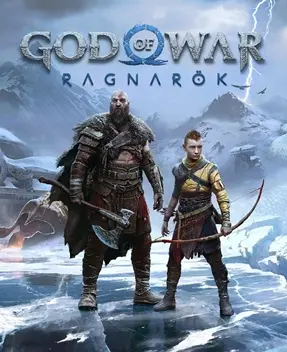
This site’s guide is written against version 5.00 of God of War Ragnarök, which already includes the New Game+ update. This article covers the game’s major update directions since launch, the systems each big version touched, and how to judge what practical impact a given patch will have on your current build and playthrough. For the fundamentals of combat and skills, see the Combat System and Skill System pages.
This game’s update cadence#
Ragnarök is a single-player title, unlike persistent online-service games; updates come mainly as “major content versions” rather than weekly hotfixes. Its updates fall broadly into four categories, each with clearly different frequency and scope:
| Update type | Cadence | What it corresponds to in this game | Actual impact on players |
|---|---|---|---|
| Day-one patch | Launch day | Fixes issues found during the media review period | Minimal — install it and play normally |
| Major content updates | Months after launch | New Game+ update, Valhalla expansion | Adds playable content touching endgame and collection |
| Balance and feature patches | Between major versions | Adjusts individual gear values, fixes save and crash issues | Affects specific builds and the play experience |
| Accessibility and feature patches | Ongoing long-term | Adds or adjusts accessibility options, Photo Mode capabilities | Affects usability and play comfort |
The game has no seasons, battle passes, or high-frequency stat rotation, so judging patch impact does not require staring at changelogs every day like an online game — just watch the major versions that announce “new content”.
The New Game+ update#
This was the earliest and most directly impactful major update after launch. With New Game+ enabled, you can restart the story while carrying over your previous run’s progress; enemies grow stronger, and gear is supplied in new ways. Here are the core changes this update brought:
| Change | Details | Significance |
|---|---|---|
| Carried-over progress | Keeps weapon levels, armor, skills, runes, and collectibles | Saves re-grinding time; the emphasis is challenge, not the grind |
| Stronger enemies | Higher-difficulty enemy configurations and attack patterns | You need higher-tier gear to hold your ground |
| New gear tier | Higher-level equipment and upgrade paths appear | Your existing progression plan must be upgraded accordingly |
| Endgame coverage | Aimed at players who finished the main story | Ties into the goals described on the Endgame Content page |
Because New Game+ raises enemy strength, the point of that higher-tier gear is not “kill weaker mobs faster” but letting you carry a complete build through a harder second playthrough. If you want to accumulate as much as possible before starting NG+, finish the missable collectibles and side quests in your first run first.
The Valhalla expansion#
Released as free content, the Valhalla expansion offers a gameplay structure very different from the main story. It is not primarily linear progression but built around “repeated challenges, incremental strengthening”, with a fresh situation every time you enter. A few points are worth noting:
- Independent of the main game: it is extra playable content that does not affect your main-story progress in either run; whether you clear it or not does not hinder collecting in the main game.
- A test of execution: its difficulty centers on the timing of blocks, parries, dodges, and weapon swaps rather than sheer level advantage, so the combat fundamentals honed in the main game pay off here more directly.
- Reward loop: rewards from successful runs can be used to strengthen the corresponding gear paths; it is worth attempting once you are near finishing the main game, for the complete experience.
Because its gameplay diverges so much from the main game, if you are chasing 100% completion, tackle it after the main story and side quests are mostly wrapped up, to avoid repeated frustration while short on resources and gear.
How to tell whether a patch affects you#
For a single-player game, the core of judging patch impact is whether it changes “new content” or “existing values”. Check in this order:
| Check | What to look at | What it tells you |
|---|---|---|
| Read the title first | Does it mention “new” content | If it adds something, it may involve new areas, gear, or modes |
| Then the scope | Are specific pieces of gear or systems named | Only a few named items means limited impact |
| Check the values | Are damage, cooldowns, or skill effects changed | If your active build is touched, re-verify the loop |
| Finally the fixes | Are saves, crashes, or specific stuck scenes mentioned | Stability fixes — update as needed |
Since this game has no “class tier list” that you must follow with each patch, most balance changes merely make a few previously niche routes more usable and will not overturn an established playstyle. As long as your build ideas rest on the mechanics of Weapons and Shields, a single patch will almost never invalidate them.
Version and platform differences#
Updates also involve differences between platforms. The game’s content is identical on PS4 and PS5, but after updates the two platforms still differ objectively in visuals and control feedback:
| Item | PS4 | PS5 |
|---|---|---|
| Graphics modes | Lower resolution targets, lower frame caps | Performance and Quality modes to choose from |
| Load speed | Markedly slower | Extremely fast; retrying after death is much smoother |
| Haptic feedback | Basic support | Full support for controller haptics and adaptive triggers |
| Audio | Mainly traditional stereo | Spatial audio support for clearer positioning |
These differences do not change gameplay but noticeably affect long-session comfort, especially for boss fights and Valhalla challenges that demand frequent retries. If you own both consoles, prefer the PS5 version for high-difficulty attempts.
How updates affect the three weapons#
Balance patches here rarely gut a weapon; they mostly make the weapons’ roles clearer. The direction of change for the three weapons serves as your reference when checking builds after each patch:
| Weapon | Element | Update direction | What to watch after a patch |
|---|---|---|---|
| Leviathan Axe | Frost | Sharper precision throws and ranged recalls | Whether the freeze window changed, and the rhythm of closing to melee after a throw |
| Blades of Chaos | Fire | Better area clearing and sustained burn | Burn stacking and crowd-clearing efficiency |
| Draupnir Spear | Wind | Stronger element detonation and guard-breaking | Detonation damage and effectiveness against shielded enemies |
Because the three weapons already divide roles within the Combat System, balance patches usually only fine-tune their numbers without changing the basic positioning of “axe controls, blades clear crowds, spear breaks guards”. So even if a patch adjusts a weapon’s damage, you need not overturn your existing swap habits — just re-feel in practice whether weapon swapping still flows smoothly.
Photo Mode and accessibility updates#
Beyond combat numbers, the game’s updates have kept polishing Photo Mode and accessibility; neither kind of change alters gameplay, but both clearly affect the experience.
- Photo Mode: lets you pause mid-combat and freely adjust camera, filters, and character poses to shoot scenes across the Nine Realms. Updates have progressively improved its usability and flexibility, making it well suited for collecting screenshots.
- Accessibility features: the game offers a substantial set of accessibility options, including high-contrast mode, subtitle size and background adjustments, auto-pickup, navigation assistance, and combat aids (auto shield-parry, auto-dodge). Updates keep adding such options so you can configure play to your own needs.
If the visuals or controls feel different after an update, first check whether these assist and display options were reset by the patch before considering other causes. This is often the most common real source of “the game feels different after the patch”.
How to read patch notes and confirm your version#
Since this game’s updates come mainly as large content versions with substantial changes, confirm the version you are running before finishing the story, so guide information does not mismatch actual content. Check as follows:
- View the version number on the game’s title screen or pause menu and compare it against version 5.00, which this article is based on.
- If your version is behind, simply run the system update; there is no need to worry about progress loss — saves are compatible with version updates.
- If you cannot enter an old save after an update, first restart the console and confirm the patch fully downloaded, then consider other troubleshooting steps.
Summary#
This game’s update rhythm is clear: one major content update plus one free expansion, punctuated by stability and accessibility patches. For most players, the only things really worth watching are the new content from New Game+ and the Valhalla expansion; other patches barely affect existing gameplay. If your build feels different after some version, go back to the Combat System page to check the fundamentals, and the cause usually becomes clear.