Crash and Black Screen Fixes#
Crashes and black screens in Last Epoch come in two classes: server overload — check official status and wait — and local crashes, handled in the order “verify files, switch renderer, disable overlays, update drivers”, which resolves most issues within ten minutes.
Fact basis: every symptom, patch number and fix below was verified on 2026-10-15, primarily from the official forum (forum.lastepoch.com), the official support site (support.lastepoch.com) and official apology letters; community fixes are labeled as such, and where officials have not covered a topic this page offers troubleshooting paths only — no invented error codes.
Match Your Problem First#
Diagnose the fault tier before acting, or you will reinstall three times in the wrong direction. The game’s common failures fall into four symptom classes with different causes and destinations:
| Symptom | Typical cause | Go to |
|---|---|---|
| Popup crash mid-play with the game logo and a red exclamation mark | Local environment: files, renderer, overlays, drivers | See “Popup crashes at launch or during play” |
| Stuck on the loading screen, black screen or frozen diamond logo | Server overload at peak, local environment second | See “Stuck on the loading screen” |
| Brief freeze and black textures entering caves, tombs, cemeteries | Confirmed client defect, fixed in hotfix 1.5.1.1 | See “Dungeon freezes or black textures” |
| “Online Play Unavailable”, mass disconnects on patch days | Server-side; not your PC | See “Online Play Unavailable” and the incident timeline |
A time-saving conclusion first: the game has no dedicated numeric error codes — neither officials nor the community have ever published an “error code table”. Don’t search error numbers like in other online games; follow the symptom table above.
Popup Crashes at Launch or During Play#
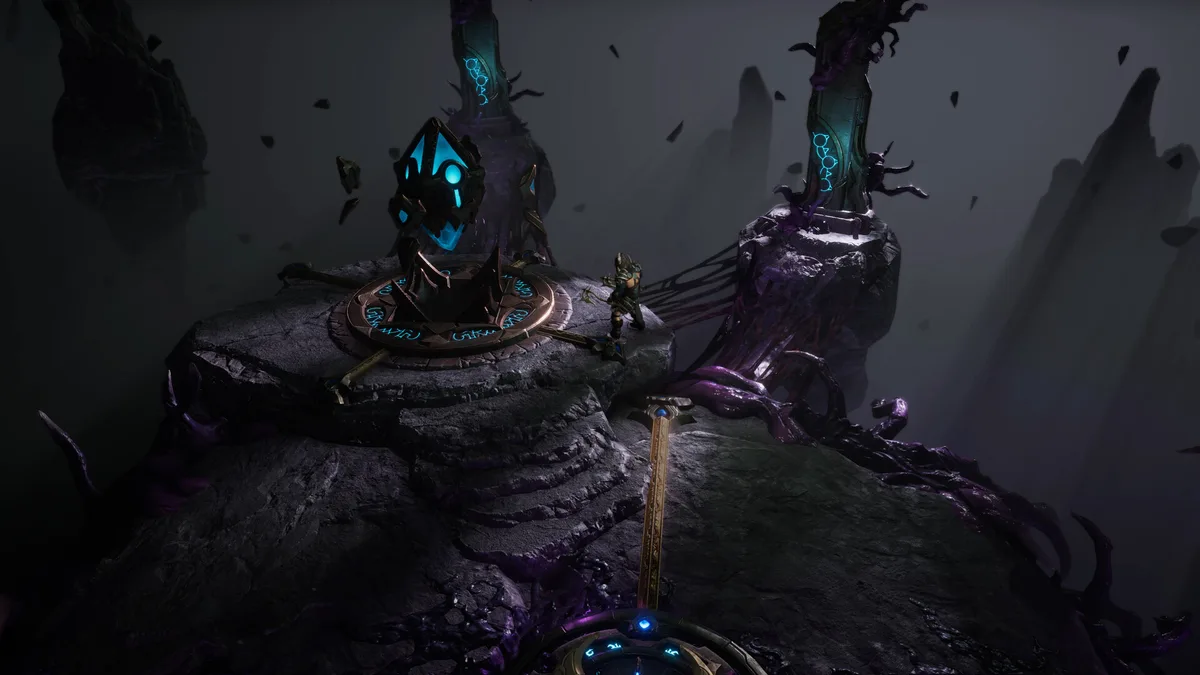
A crash dialog with the game logo plus a red exclamation mark is Unity’s generic crash popup — the client crashed locally. Work down this list; the first two steps solve most cases:
- Verify game file integrity: Steam library, right-click the game → Properties → Installed Files → verify integrity; damaged files are re-fetched automatically.
- Switch the renderer: add
-dx11or-dx12to Steam’s launch options (Properties → General) to force a graphics API; if it still crashes, try-windowedfor windowed startup. - Disable in-game overlays: the Steam overlay and Discord’s in-game overlay have both had reported conflicts — disable one at a time and test.
- Update GPU drivers: especially for the “crashes minutes into play” cluster reported around April 2025 — directly driver-related and gone after updating.
The game is PC (Steam) exclusive with no other launcher branches, so all steps assume the Steam client. Still crashing after all four? Move to “crashes after long sessions” and “power headroom”.
Crashes the Longer You Play? Raise Virtual Memory#
Game launches fine but always crashes after a while, with application-crash events in Windows Event Viewer — a cluster hit the community around April 2025, and two verified fixes both point at memory resources:
- Enlarge virtual memory (pagefile): players who grew the pagefile from 2 GB to 12 GB saw crash intervals stretch markedly. The recommended spec already asks for 16 GB RAM, and long sessions squeeze memory — a too-small pagefile triggers crashes directly.
- Disable memory overclocking (XMP) in BIOS: other players stopped crashing entirely after disabling. Unstable memory overclocking is a common system-crash source, but disabling costs performance — advanced move; try the previous step first.
Both come from community cases (steamcommunity.com, April 2025), not official guidance, but they were reproduced by multiple players. Suggested order: grow the pagefile first — no performance cost, reversible anytime; XMP last.
Burst-Effect Fights Crash Instantly? Check Power Headroom#
Fine in normal play, instant crash the moment a fight fills the screen with effects — the community attributes these cases to frame-rate spikes pushing instantaneous GPU draw past the PSU’s headroom: the higher the framerate, the likelier a power spike trips the supply, producing an instant power-cut-style crash.
Flatten the spikes in two steps:
- Cap the frame rate: NVIDIA — set “Max Frame Rate” in the control panel; AMD — use Radeon Chill in the driver; set the cap at your monitor’s refresh or another stable value.
- Lower the quality preset simultaneously to reduce instantaneous load.
The test is simple: if capped frames stop mid-fight crashes, power headroom is basically confirmed; the permanent fix is a higher-wattage PSU, but frame capping usually suffices.
Stuck on the Loading Screen (Black or Diamond Logo)?#
First decide whether you are stuck on the server or locally: on major patch days and evening peaks, the servers are the likely cause and local fiddling is useless.
Server side, in order:
- Switch server region: login screen or in-game “Settings → Gameplay”.
- Restart the game and reconnect.
- Avoid peak hours.
Local side, after ruling out the server: verify file integrity → update GPU drivers → run as administrator → clear the Steam download cache → check whether antivirus is blocking the game process. Top to bottom, restart and test after each step, no skipping.
Dungeon Freezes or Black Textures? Already Hotfixed#
Brief freezes and black textures entering Caves, Tombs and Cemeteries are an officially confirmed client defect, fixed by hotfix 1.5.1.1 (pushed 2026-10-03).
The only action: update the client to the latest version — no local setting changes needed. The same hotfix also fixed the NPC “Yrun” spawning outside Empowered Monolith timelines.
If it reproduces after updating, collect logs per the end of this page and file a ticket — a post-hotfix crash suggests a new problem officials need logs to trace.
“Online Play Unavailable” — Is It My PC?#
No. The Online Play Unavailable message is misleading: servers are actually up; assigning you a game server may just take several retries. The official Discord advice is plain — when you see it, log in again.
The message clustered at two moments: 1.0 launch night (2024-02-21) and the 1.1 “Harbingers of Ruin” update day (2024-07-09), both server maintenance or overload. Whether it still appears under the same logic in the current 1.5.x line is not officially confirmed, but the response stands: retry login a few times, then check official status posts and wait.
Full troubleshooting for match disconnects, region-switch drops and latency rollbacks lives in co-op and connection issues; this page does not repeat it.
Why Does Full Offline Mode Still Hang on Connecting?#
Distinguish the two “offline” states — many players get stuck here:
- Offline characters: an ordinary offline character’s client still attempts to reach the chat server, and poor networks hang at the connecting step anyway.
- Full Offline Mode: a separate launch-option toggle; only when selected does the game run fully cut off.
For true offline, pick Full Offline in the launch options rather than just creating an offline character. If even that connection attempt bothers you in extreme network environments, the community workaround is a Windows firewall outbound-block rule on the game executable to force disconnection — back up your saves first, this is a community fix not an official one, and the outbound rule also blocks future update validation. Think it through before applying.
The offline-vs-online character trade-offs (save separation, differences from online characters) are covered in the beginner’s guide.
Turkish System Language: Loading Problems?#
On Season 5 launch day (2026-10-01), the official forum saw a cluster of reports: users with Turkish system language stuck on the loading screen with some in-game text rendered as boxes. Community moderators confirmed the cause as a character-processing issue when the system language is Turkish.
The player-side workaround is verified: switching the system region/language to English (United States) restores normal behavior. Official fix status was unannounced as of this page’s verification date. Players on other less-common system languages who see similar text corruption can test-switch to English (US) — if that fixes it, you have hit the same class of issue.
Does Last Epoch Have Error Codes?#
No. As of 2026-10-15 the game has no verifiable dedicated numeric error codes, and one widespread misunderstanding needs clearing:
- “Event ID 100” in community articles is just Windows’ generic application-crash event number — any crashing program can log it; it is not specific to this game, so don’t hunt guides by error code.
- The in-game crash popup is Unity’s generic dialog (game logo plus red exclamation mark); it carries no queryable number.
Criterion: treat any article packaging this game’s problems as an “error code encyclopedia” as untrustworthy by default, and return to symptom-based troubleshooting.
What Server Incidents Have Happened? Is It Stable Now?#
The best reference for “is it the servers” is the officially confirmed incident list. Server incidents cluster at version launches; ordinary days are stable:
| Time | Event | Result and status |
|---|---|---|
| 2024-02-21 | 1.0 launch night — backend failed under roughly 152k concurrent players; login and matchmaking broke at scale | Officials posted hourly status updates on the Steam forum; concurrency peaked near 215k within days (2024-02-27, SteamDB figures) |
| 2024-02-22 to early March | Continuous server stability hotfixes | All players compensated with the Autumnal Wrap back attachment |
| February 2024 | European logins misrouted to US-central servers with abnormal latency (third-party compilation, not an official post) | Resolved via server-side configuration fix |
| 2024-07-09 | 1.1 “Harbingers of Ruin” update-day maintenance overran; Online Play Unavailable returned | Wait for maintenance to end |
| Early October 2026 | Season 5 “Rage of the Frostborn” launch — widespread server failures | Game director Mike (MickeyEHG) published a public apology on 2026-10-01, calling it “our failure”, promising prevention plans and compensation for affected First Blood race characters |
| 2026-10-03 | Hotfix 1.5.1.1 pushed | Fixed dungeon, tomb and cemetery freezes and black textures |
Current judgment: the client line is 1.5.x and dungeon-scene defects are hotfixed. On major patch days, waiting for official status posts (official forum status threads and social accounts) beats local fiddling — a pattern verified across three version launches.
How to Collect Logs and File a Ticket#
When all troubleshooting fails, bring logs to the officials. Log path:
C:\Users\[username]\AppData\LocalLow\Eleventh Hour Games\Last Epoch\Two points decide whether the ticket gets processed:
- Only the last two sessions’ logs are kept — copy them out before restarting the game, or old logs are overwritten.
- The ticket entry is at support.lastepoch.com; include symptom, time, whether it reproduces reliably, the action before the crash (entering a map, switching regions, fighting) and attach the logs.
A ticket without logs is mostly wasted effort — don’t skip the log step.
Notes for Linux and Steam Deck Players#
The game once shipped a native Linux build, abandoned officially since September 2024; Linux players and Steam Deck users are advised to run through Proton. Steam Deck holds “Verified” status on Steam and plays normally via Proton.
Under Proton, the hardware- and account-independent items above still apply: overlays, frame caps and driver (Proton and system graphics) updates are worth walking through; whether renderer launch parameters work under Proton is test-it-yourself. Full platform and spec requirements are on the site’s requirements page.
Related Pages#
- Co-op and Connection Issues — Online Play Unavailable, region drops, party mechanics and server regions
- FAQ — mastery resets, legendary crafting, faction choice and more
- Beginner’s Guide — offline vs online characters and the leveling route
- Patch History — the full 1.0-to-Season-5 timeline
- Season 5: Rage of the Frostborn — Season 5 mechanics and the launch-incident story
- Price and Buying Guide — edition differences, current pricing and when to buy