The Last Epoch Co-op and Connection Guide#
Last Epoch supports four-player online parties, and most disconnects trace to the server side rather than your local network: check the official status announcements first, then work through server region, router and client settings in order.
How Many Players Can Party Up — and How?#
The short answer: up to four per party (including you), and multiplayer shipped as a beta in March 2023 — before the 1.0 release. The only precondition for grouping is selecting “Play Online” at the main menu; an offline character cannot enter multiplayer.
Party steps:
- Choose “Play Online” at the main menu.
- Invite friends through the social menu; they enter your world through a portal.
- In town hubs you can see random other players and party up on the spot.
Co-op basics at a glance:
| Item | Fact |
|---|---|
| Party cap | Four players (including you) |
| Multiplayer launch | 2023-03-09, as a beta — before 1.0 |
| Architecture | Server authoritative, with official anti-cheat |
| Leaderboards and racing | Enabled by the server-authoritative design |
| Character storage | Online characters live in the cloud, accessible across devices |
| Offline vs online | Fully separate — no transfer between them |
| Local split-screen / LAN | Not supported |
| PvP / friendly fire | None |
| Cross-platform play | Not supported — currently a Steam exclusive with no console version |
The server-authoritative architecture is the key to understanding every connection issue: your character data lives on the server, and the server decides all outcomes. The upside is trustworthy anti-cheat and leaderboards; the cost is that when the server side breaks, nothing you do locally matters.
On cross-platform, one more note: Eleventh Hour Games has shipped only the Steam version so far. After KRAFTON acquired the studio in July 2025, cross-console expansion was listed as a direction, but as of this page’s update (2026-10-15) no console version has been announced — so “cross-platform play” is currently a non-question: you can only party with players on Steam.
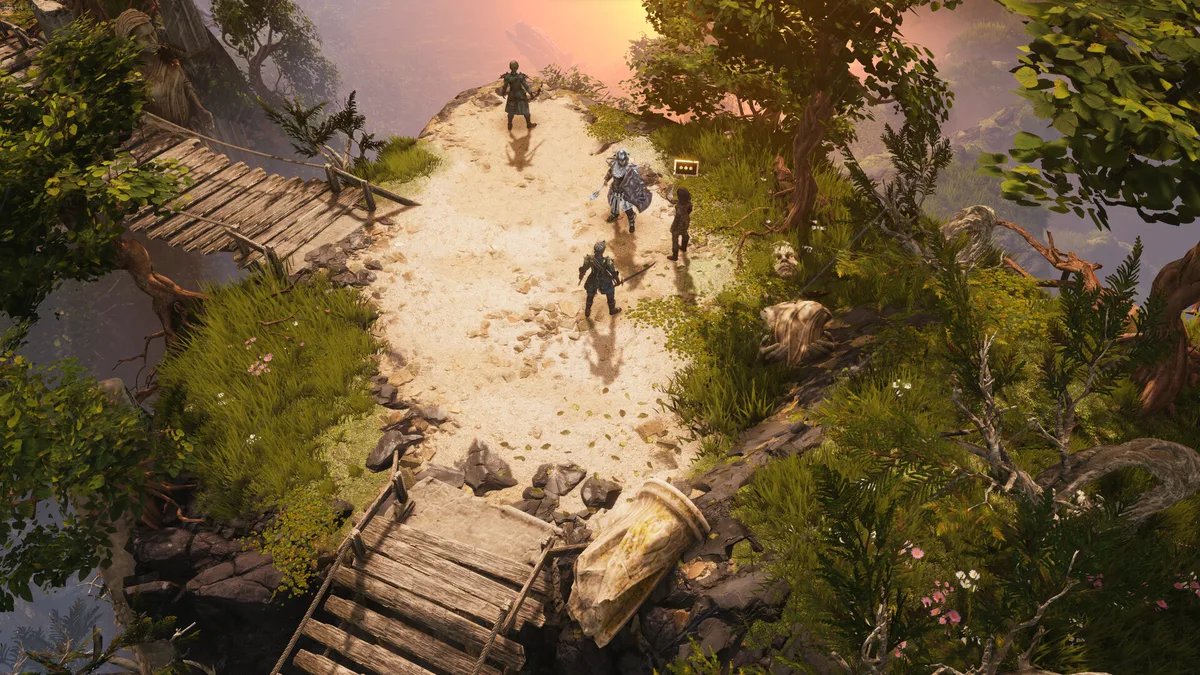
Do Monsters Scale in a Party? How Do Drops Work?#
| Rule | Behavior |
|---|---|
| Monster HP | Scales with party size — more players, tankier monsters |
| Monster damage | No scaling — every hit still hurts in a four-stack |
| Loot | Separate instances — everyone sees their own drops, no competition |
| Item gifting | Items that dropped while in the same party can be gifted |
The practical meaning: partying neither improves nor worsens your gear income, since loot is always your own instance; but unscaled monster damage means squishy characters die more easily in groups — do not stand still just because teammates are present. Gifting lets party-mates support each other, but only within that boundary.
Which Server Region? Which Node for Asian Players?#
Two places to switch: directly at the login screen, or in-game under Settings → Gameplay.
The short answer: players in East Asia generally land on the Northeast Asia nodes (Tokyo / Seoul). The region list below comes from third-party community compilation — the official never published an authoritative list, and some nodes exist only as community reports:
| Region | Node locations |
|---|---|
| US East | Virginia / New York |
| US Central | Dallas / Chicago |
| US West | Oregon / California |
| Europe West | Frankfurt / Amsterdam |
| Europe East | Warsaw / Prague |
| Southeast Asia | Singapore |
| Northeast Asia | Tokyo / Seoul |
| Australia Southeast | Sydney |
| Australia West | Perth |
| South Africa | Johannesburg (community-reported) |
Three practical rules:
- The auto-assignment is not always optimal. Automatic region selection sometimes skips the nearest node, and the ping shown at the title screen can disagree with in-game latency — if it feels wrong, switch manually and compare.
- Cross-region parties follow the leader. The party runs on the leader’s server region; the leader can change it for everyone on the social menu’s party tab (default hotkey H).
- Node quality fluctuates. There is no forever-stable node — when it lags, try the adjacent region.
A historical case worth knowing: in February 2024, shortly after launch, European players were misrouted to US-Central servers with abnormal latency; the official fixed it server-side (third-party account). If you pick the nearest node and latency still looks transcontinental, suspect server-side routing — that one only the official can fix.
Stuck on “Online Play Unavailable”?#
Short answer: the message is misleading. The official has confirmed in the past that the servers were actually up — only the game-server assignment needed multiple retries, and their Discord advice was simply to log in again.
Try in order:
- Log in again — repeatedly. Most cases clear on retry.
- Restart the game and force a Steam update check so the client matches the current patch.
- Avoid peak hours and retry.
- Check the official status channels (the forum’s server-status thread, the official X account, Discord announcements) to confirm whether it is a server-side outage. If it is, wait — local troubleshooting is wasted effort.
Background: the most recent verified appearance of this message was the 1.1 update day, 2024-07-09 — server maintenance ran long and the prompt appeared until maintenance ended. Whether it behaves identically in the current 1.5.x era is unconfirmed, but the approach is unchanged: retry first, then check announcements. If your problem is a stuck loading screen instead, see the crash and black screen fixes page, which covers local startup issues.
Disconnects on Every Map Transition#
This is the most-reported disconnect pattern. The community managers’ Discord checklist resolves most cases:
- Change your server region. Your usual node may simply route badly for your current line — a different region often fixes it immediately.
- Check your router’s IPv6 and firewall settings. Map transitions are the classic connection-handoff moment, and router-level filtering loves to cut connections exactly there.
- If neither helps, suspect the ISP. Community reports describe individual carriers blocking game-server traffic and killing every transition. That is unsolvable locally — verify with a different network (a phone hotspot works): if the hotspot does not drop, the carrier line is the problem.
Judgment: if disconnects concentrate on the region-change / map-transition action while normal play is fine, follow the three steps above; if you disconnect randomly at any time, suspect the server side or generally unstable local networking — check “Online Play Unavailable” and the big-patch list below.
High Latency and Rollbacks — Do Accelerators Help?#
Short answer: fix the region first, then talk about accelerators. Most high-latency cases come from poor region assignment, and a manual switch to a nearby region resolves most of them.
Steps:
- Manually pick the nearest region at the login screen or under Settings → Gameplay — e.g. the Northeast Asia nodes.
- Trust how the game feels after loading in, not the title-screen number — the two genuinely disagree sometimes.
- In cross-region parties, confirm the leader’s region is sensible — the whole party runs on it, changeable on the social menu’s party tab (default hotkey H).
- Still high after all of the above — then consider third-party tools.
The honest word on accelerators: server-authoritative architecture means an accelerator can only improve the route between you and the node; it cannot rescue a server-side outage. Tools like ExitLag market route optimization, with no official endorsement and results varying by line. The test is simple: if the nearest node still lags badly across different networks, a trial run is reasonable — do not prepay a year. During a server-side incident, nothing helps.
Everyone Drops on Patch Day — Me or the Servers?#
The evidence first: all three big launch moments had server-side failures. Patch-day disconnects are most likely not your fault.
| Time | Event | What happened |
|---|---|---|
| 2024-02-21 | 1.0 launch night | Backend buckled under roughly 152k concurrent players — login and matchmaking failed at scale; the official posted hourly status updates and later compensated everyone with the Autumnal Wrap back attachment; peak concurrency climbed to about 215k within days |
| 2024-07-09 | 1.1 update day | Server maintenance overran; “Online Play Unavailable” appeared — waiting was the fix |
| 2026-10 | Cycle 5: Rage of the Frostborn launch | Widespread server failures left many players unable to play at all; game director Mike published an open apology calling it “our failure”, promised prevention measures and compensated affected First Blood racing characters; hotfix 1.5.1.1 pushed October 3 |
The only correct order: wait for the announcement, then act. Official channels: the forum’s server-status thread, the official X account and Discord. When patch-day servers overload, reinstalling the game and reconfiguring the router accomplish nothing — the 1.0 lesson is that hourly official updates beat every local fix. Avoiding the first wave after a launch, especially the first evening, sharply reduces your odds of hitting an outage.
The Cycle 5 incident is detailed on the S5 Rage of the Frostborn page, and the full timeline on the patch history page.
Offline vs Online Characters — Does It Affect Disconnects?#
Yes, and heavily — plenty of “network issues” turn out to be character-type confusion.
| Compare | Offline character | Online character |
|---|---|---|
| Data storage | Local | Cloud, cross-device access |
| Convertible | No — deliberately incompatible (anti-cheat design) | Also no |
| Network outage effect | Barely affects play (but see below) | Cannot play at all |
One easy trap: an ordinary offline character is not fully offline — it still attempts to reach the chat servers and can be dragged down by bad networks. “Full Offline Mode” is the truly disconnected option, selectable in the launch options.
If you want a single-player experience and constant network trouble:
- Pick Full Offline in the launch options.
- Understand the cost: all cosmetic outfits require an online connection and are unavailable offline; the cloud-save advantages of online characters are gone too.
- As an extreme measure — when chat-server connections hang repeatedly — the community workaround is a Windows firewall outbound block on the game executable to force disconnection. Back up your saves first; this is a community workaround, not an official one.
If you are still weighing offline against online for your first character, the beginner guide covers the full trade-off.
What Does the Game Cost? Buy-to-Play or F2P?#
Short answer: not free. The base game is buy-to-play — $34.99 on Steam US, 128 yuan in the CN region — and in-game purchases are limited to cosmetic shop items, with the official promising no power for sale. Beyond Steam, the official site sells direct.
Three ways the purchase structure touches co-op:
- Edition never changes co-op. The Standard edition includes online co-op; Deluxe and Ultimate add pets, cosmetics and Epoch Points — skipping them costs you nothing in play. Edition details and current prices are on the price guide page.
- Cosmetics need online. All cosmetic outfits require an online connection and are unavailable offline — think before buying if you play offline.
- Supporter packs rotate out per Cycle with at least 30 days’ notice; the base editions stay on sale forever and upgrade by paying the difference — no need to rush on day one.
Preparing a Support Ticket#
Short answer: the official ticket portal is support.lastepoch.com — pull your logs first. Logs keep only the two most recent sessions, so extract them before restarting the game or they are overwritten.
Log path:
C:\Users\[username]\AppData\LocalLow\Eleventh Hour Games\Last Epoch\Checklist:
- Copy the log files from the directory above (extract first, restart after).
- Note when the problem occurred and what you were doing (map transition, partying, entering a dungeon).
- State your server region and network setup (cross-region party? accelerator?).
Two things not to chase: the game has no dedicated numeric error codes — the community’s “Event ID 100” is just the generic Windows application-crash event, nothing game-specific; describing the symptom beats hunting an error code. For crashes and black screens, run through the crash and black screen fixes first — many cases never need a ticket.
Co-op Quick Reference#
| Symptom | Try first | Then |
|---|---|---|
| “Online Play Unavailable” | Log in again, repeatedly | Check official status announcements; wait out the server issue |
| Drop on every map transition | Change server region | Router IPv6 and firewall; verify on another network |
| High latency, rollbacks | Switch to nearest region | Rule out leader-region issues; trial an accelerator |
| Everyone drops on patch day | Wait for official status | Avoid peak hours |
| Offline mode still connection-bound | Switch to Full Offline | Back up saves; consider a firewall outbound rule |
| Everything above failed | Collect logs, file a ticket | Wait for the official; watch status channels |
Related Pages#
- Beginner FAQ — classes, masteries and other newcomer questions
- Crash and Black Screen Fixes — local crashes, black screens and startup issues
- Price Guide — editions, current prices and when to buy
- S5 Rage of the Frostborn — the Cycle 5 mechanics and post-outage fixes
- Patch History — the full timeline from 1.0 to Cycle 5
- Beginner Guide — offline vs online and a leveling route