System Requirements#
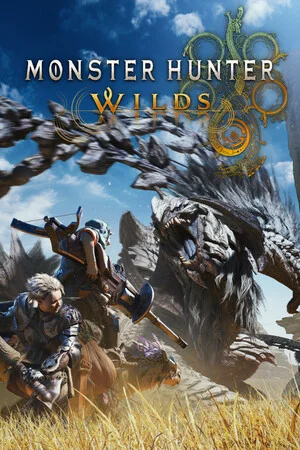
Monster Hunter Wilds, developed by CAPCOM on the RE Engine, launched on February 28, 2025 for PS5, Xbox Series X|S, and PC (Steam). The official Steam page and the official Benchmark tool page publish four PC spec tiers — Minimum, Recommended, High, and Ultimate — covering everything from a GTX 1660 at 1080p/30fps to an RTX 4070 Ti at 4K/60fps, and this entire set was once lowered a full tier before launch. This page organizes the official four-tier comparison table, old-vs-new spec changes, VRAM and storage footprints, how laptop owners should map their specs, and hardware advice by target framerate (information verified as of October 15, 2026).
The Hard Preconditions of the Official Specs#
The official requirements are a Windows 10/11 64-bit system, DirectX 12, and a 75GB SSD, with a special note that integrated graphics and shared-memory devices are not guaranteed to run the game.
Keep three preconditions in mind before reading the tables: first, the OS requirement is Windows 10/11 64-bit and the graphics API is DirectX 12; second, storage requires 75GB and it must be an SSD — HDDs are outside official support, and the game is noted to support DirectStorage; third, the official support page specifically states that integrated graphics and shared-memory devices are not guaranteed to run the game — running the PC version directly on a thin-and-light or iGPU machine falls squarely within what Capcom does not promise.
| Item | Official requirement |
|---|---|
| Operating system | Windows 10/11 64-bit |
| Graphics API | DirectX 12 |
| Storage space | 75GB, SSD required |
| Storage technology | DirectStorage supported |
The Official Four-Tier Comparison Table#
The four tiers cover 1080p/30fps to 4K/60fps: Minimum uses a GTX 1660, Recommended an RTX 2060 Super, High an RTX 4060 Ti at 1440p, and Ultimate an RTX 4070 Ti at 4K.
| Tier | Official target | CPU | GPU (VRAM) |
|---|---|---|---|
| Minimum | 1080p (upsampled from 720p native) /30fps, “Lowest” preset | Core i5-10400 / Core i3-12100 / Ryzen 5 3600 | GTX 1660 (6GB) / RX 5500 XT (8GB) |
| Recommended | 1080p/60fps, “Medium” preset, Frame Generation on | Same as Minimum | RTX 2060 Super (8GB) / RX 6600 (8GB) |
| High | 1440p (upsampled) /60fps, Frame Generation on | Same as Recommended | RTX 4060 Ti (8GB) / RX 6700 XT (12GB) |
| Ultimate | 4K (upsampled) /60fps, Frame Generation on | Core i5-11600K / Core i5-12400 / Ryzen 7 5800X / Ryzen 7 7700 | RTX 4070 Ti (12GB) / RTX 4070 Ti Super (16GB) / RX 7800 XT (16GB) |
Three details are worth noting:
- One CPU gate shared by three tiers: the official Recommended tier notes that CPU, RAM, and storage are identical to Minimum, and the High tier’s CPU is in turn identical to Recommended — meaning the same CPU gate (Core i5-10400, i3-12100, or Ryzen 5 3600) carries from 1080p/30fps all the way to 1440p/60fps, with cross-tier upgrades spent mostly on the GPU until the Ultimate tier finally sets a separate CPU bar;
- Every 60fps tier assumes Frame Generation: the 60fps targets of the Recommended, High, and Ultimate tiers are all noted with Frame Generation on — players who care about native frames should evaluate hardware one tier lower;
- Ultimate-tier upscaling has a version caveat: the official notes say Ultimate-tier upscaling is based on DLSS 3.7 and FSR 3.1; with outdated GPU drivers the upscaling options may be incomplete.
On memory and storage, the official Minimum is 16GB RAM plus a 75GB SSD, and the Recommended tier is stated identically; the differences between the four tiers concentrate in the CPU and GPU columns.
The Official Specs Were Once Lowered a Full Tier#
September 2024’s first minimum tier called for a Core i5-10600, GTX 1660 Super, and a 140GB SSD; with the Benchmark tool’s release it was lowered to the i5-10400, GTX 1660, and 75GB.
Monster Hunter Wilds is one of the few big PC releases whose official requirements were publicly lowered: the first minimum tier, published in September 2024, called for a Core i5-10600, Core i3-12100F, or Ryzen 5 3600 CPU, a GTX 1660 Super or RX 5600 XT GPU, and 140GB of SSD storage; once the official benchmark tool shipped, the minimum tier was lowered in step to the current figures in the table below. Old vs. new:
| Item (minimum tier) | First version (September 2024) | Current |
|---|---|---|
| CPU | Core i5-10600 / Core i3-12100F / Ryzen 5 3600 | Core i5-10400 / Core i3-12100 / Ryzen 5 3600 |
| GPU | GTX 1660 Super / RX 5600 XT | GTX 1660 / RX 5500 XT |
| Storage space | 140GB SSD | 75GB SSD |
This comparison table has one more practical use: many older articles online still cite 140GB of storage or a GTX 1660 Super — those are first-version figures, and when you see such claims, just correct them against the current column on the right. The Ryzen 5 3600 is the only CPU model that never changed from first version to current.
How to Map Your VRAM#
The official tiers span 6GB to 16GB of VRAM: 6GB maps to Minimum, 8GB to Recommended and High, 12GB reaches the 4K threshold, and enabling the HD Texture Pack also requires 16GB of VRAM.
| VRAM | Tier | Example GPUs |
|---|---|---|
| 6GB | Minimum | GTX 1660 |
| 8GB | Recommended, High | RTX 2060 Super, RX 6600, RTX 4060 Ti |
| 12GB | High, Ultimate | RX 6700 XT, RTX 4070 Ti |
| 16GB | Ultimate; HD Texture Pack threshold | RTX 4070 Ti Super, RX 7800 XT |
When mapping, don’t look at the capacity number alone: with the same 8GB of VRAM, the RTX 4060 Ti is placed by the official table in the High tier, while the RTX 2060 Super only sits in Recommended — GPU generation and architecture are also tiering criteria. 16GB of VRAM carries one more meaning: the HD Texture Pack’s enable threshold is exactly 16GB, and cards with less VRAM cannot turn it on even with the pack installed.
HD Texture Pack and Storage Math#
The base game’s storage requirement is 75GB on an SSD; the HD Texture Pack is free but about 75GB, requires 16GB of VRAM to enable, and brings total usage to about 150GB.
| Item | Official figure |
|---|---|
| Base game storage requirement | 75GB, SSD required |
| HD Texture Pack | Free, about 75GB, needs 16GB VRAM to enable |
| Total usage with HD Texture Pack installed | About 150GB |
| Ver.1.041 update package (Steam) | About 15GB (about 21GB with HD Texture Pack) |
| Ver.1.041 update package (PS5) | About 13GB |
| Ver.1.041 update package (Xbox) | About 16GB |
Use the table above for storage planning: base game only means 75GB on an SSD to start; to enable the HD Texture Pack, plan for 150GB outright, and all 150GB of it must sit on an SSD. Patch sizes also need headroom — the February 2026 Ver.1.041 update package was about 15GB on Steam alone, so it is best to keep free space of that magnitude on the drive before updating.
How Laptop Players Should Apply the Official Specs#
The official note is explicit: even meeting the minimum or recommended specs, mobile GPUs perform far below same-spec desktop cards and may not run the game properly — mapping your specs requires margin.
This is the official support page’s own wording, not community speculation — all four official tiers are based on desktop hardware, and laptop players should map in four steps:
- Recognize mobile model differences: laptop GPUs share model numbers with desktop cards but with cut-down specs, and measured performance is generally below the desktop version — tier conclusions cannot be transplanted directly;
- Map by VRAM capacity: per the VRAM table above, 6GB maps to Minimum, 8GB to Recommended, consider the 1440p and 4K tiers at 12GB or more, and only 16GB of VRAM reaches the HD Texture Pack threshold;
- Exclude iGPU and shared-memory devices: the official note says integrated graphics and shared-memory devices are not guaranteed to run the game — iGPU thin-and-lights are outside official support;
- Check measured reviews of your target model before buying: the official position is that even spec-compliant mobile hardware may not run properly, and power and cooling delivery for the same GPU model vary widely between machines — measured reviews of the target model are the final criterion.
The above is general guidance; for Monster Hunter Wilds-specific issues, defer to official announcements.
Four Known Issues That Persist Even on Compliant Hardware#
The official advice is NVIDIA driver 581.57 or newer and AMD driver 25.9.1 or newer, with a note that AMD 25.10.2 and above have confirmed problems on cards like the RX 5500 XT and RX 7800 XT.
Meeting the specs only clears the threshold; the wrong driver version can still ruin things. The official Ver.1.041.01.00 patch notes (February 2026) give specific driver advice, and all four issue categories below are documented:
- Driver version choice: the official advice is NVIDIA GeForce 581.57 or newer and AMD Radeon 25.9.1 or newer; it also notes confirmed problems with AMD versions 25.10.2 and above on cards like the RX 5500 XT and RX 7800 XT, so avoid that version range — AMD users should not blindly chase the newest driver;
- RTX 50 series crashes: frequent RTX 50 series crashes ran high in the community in April 2025, and NVIDIA’s official 576.15 hotfix driver targeted them; if crashes continue after updating, rolling back to 572.83 works as a stopgap;
- Black screens after shader compilation: common on PC early after launch; the fix path is setting “Upscaling” under Options → Graphics to “Off” or “XeSS Native AA”; if Frame Generation is confirmed to trigger the black screens, turn Frame Generation off; if the game won’t start, delete the shader cache file (shaders.cache) and verify file integrity through Steam;
- AMD startup crashes: for RX cards that cannot open the game or crash on launch and pop up the crash reporter, the community fix is deleting the crash reporter main executable and its dynamic library (CrashReport.exe, CrashReportDll.dll) in the game’s root folder and retrying.
These issues mostly clustered in the launch window (February to April 2025) and have since been steadily reduced by official patches: December 2025’s TU4 contained dedicated PC performance optimization, and the Steam frame-rate regression caused by an August 2026 patch was also fixed in Ver.1.042.00.02. On the current version, first make sure your drivers are in place per official advice, then troubleshoot hardware issues.
How to Hit Your Target Frame Rate: Buying by FPS#
The official four tiers carry built-in frame targets: 1080p/30fps per Minimum, 1080p/60fps per Recommended, 1440p/60fps per High, 4K/60fps per Ultimate, with all 60fps tiers premised on Frame Generation on.
Unlike many official spec tables that give quality presets but no frame rates, all four Monster Hunter Wilds tiers state target resolution and framerate, so when buying you can map hardware directly by frame target:
- Entry build, 1080p/30fps: Core i5-10400, Core i3-12100, or Ryzen 5 3600, plus a GTX 1660 (6GB) or RX 5500 XT (8GB), 16GB RAM and a 75GB SSD, at the “Lowest” preset — the official minimum bar, for players who prioritize experiencing the content;
- Mainstream build, 1080p/60fps: CPU, RAM, and storage carry over from the entry build, GPU steps up to an RTX 2060 Super (8GB) or RX 6600 (8GB), “Medium” preset with Frame Generation — the official Recommended tier;
- 1440p build, 1440p/60fps: the GPU needs an RTX 4060 Ti (8GB) or RX 6700 XT (12GB); the CPU can still follow the Recommended tier, Frame Generation on — the official High tier;
- 4K build, 4K/60fps: the CPU steps up to a Core i5-11600K, i5-12400, Ryzen 7 5800X, or Ryzen 7 7700, and the GPU is a choice of three among the RTX 4070 Ti (12GB), RTX 4070 Ti Super (16GB), and RX 7800 XT (16GB), with upscaling based on DLSS 3.7 and FSR 3.1 — the official Ultimate tier.
Three closing buying tips:
- Budget Frame Generation into expectations: the official targets for all three 60fps tiers are premised on Frame Generation on — players used to native frames should evaluate hardware one tier down, or the frame-rate gap will drive them off;
- Plan storage around 150GB: the 75GB base install must sit on an SSD, adding the HD Texture Pack brings total usage to about 150GB, and reserve about 15GB more of headroom for a Ver.1.041-scale update package;
- Install drivers per official advice: NVIDIA updated to GeForce 581.57 or newer, AMD to Radeon 25.9.1 or newer, with RX 5500 XT, RX 7800 XT, and similar card owners avoiding versions 25.10.2 and above.
Related Guides#
- Version Updates — title update and version upgrade timeline; performance fixes and driver advice evolve with each version;
- FAQ — central answers on gameplay systems, platform multiplayer, and edition purchase questions;
- Controls — keyboard/mouse and gamepad layouts, Focus Mode, and the item radial menu;
- Beginner’s Guide — core concepts like the wound system and opening priorities to avoid early detours;
- Advanced Tips — damage loops, inclemency preparation, and endgame gear planning.