Online Play and Disconnect Issues#
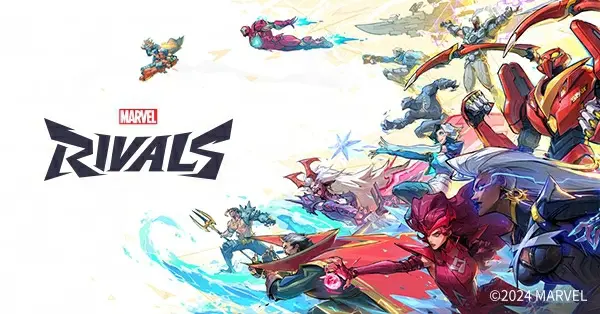
Marvel Rivals is a 6v6 team shooter developed and published by NetEase, launched globally on December 6, 2024, covering PC (Steam, Epic, and NetEase’s official launcher) plus PS5 and Xbox Series X|S, with a PS4 version following in September 2025 and a Switch 2 version as well; the studio has confirmed there is no mobile support. Live matches on all platforms combined with the high-frequency update cadence of seasonal and mid-season patches make disconnects, inability to team up, and login/authentication hangs the questions players ask most.
This page is organized in the order of “diagnose first, then act”: first distinguish which disconnects are server-side problems and which warrant checking your local network, then clarify the rules and boundaries of cross-platform play and teaming up, and finally provide a self-check list and guidance on network boosters. Crashes and black screens at launch are unrelated to network links and belong to client-side fixes, which this page does not cover.
Why Does Marvel Rivals Keep Disconnecting?#
There are four common causes of disconnects: server downtime, network latency and packet loss, firewall blocking, and corrupted game files; error code 211 means server maintenance and has nothing to do with your local network.
Server Downtime#
- The most typical signal is error code 211 (cannot enter a match): its most common cause is server downtime, unrelated to personal networks, most frequent right before and after new season and mid-season patch releases.
- During maintenance nobody can log in. The most recent large-scale downtime was the Season 10.5 (S10.5) update: servers went offline at 09:00 (UTC) on October 9, 2026, with an official estimate of about 2 hours of maintenance, during which all players were unable to log in.
- Another server-side failure shows up as the anti-cheat notice “The anti-cheat system is currently inactive”: this is caused by NetEase’s anti-cheat service being down. It cannot be fixed locally; you can only check official status channels for recovery progress.
Local Network Problems#
- Excessive latency or packet loss directly causes mid-match disconnects; common triggers include unstable wireless signal and background programs consuming bandwidth. For troubleshooting, see the self-check list below.
- There is one login failure case that is easy to misdiagnose: match servers are online but the authentication server alone has failed, showing up as inability to log in or team up. Reinstalling the game is pointless in this case.
- After a major release, longer queues, slower matchmaking, and authentication delays are mostly caused by peak player traffic; they recover on their own once traffic settles, so there is no need to repeatedly reinstall or change settings.
Firewall and Security Software Blocking#
- Firewall or security software blocking is one of the officially confirmed causes of connection failures, with the typical symptom that everyone else is fine while only you keep disconnecting or failing to connect.
- The fix is to allow the game’s main executable through your firewall and antivirus: add
Marvel\Binaries\Marvel-Win64-Shipping.exeand the game’s root directory to the whitelist (this path comes from the official crash troubleshooting guide; antivirus false positives and blocked connections are handled through the same entry).
Corrupted Game Files#
- Corrupted game files can also prevent online play: on Steam use “Verify integrity of game files” to repair; NetEase-channel players can use the “Game Repair” file-check entry on the customer service help page.
- The anti-cheat component installs with the game, so verifying files also repairs anti-cheat. If you see “anti-cheat protection not active” or “Fatal error detected,” fully restart your computer first, then verify the game files.
How Do I Tell a Server Problem from a Local Network Problem?#
Check official status channels first: the official X account, the official Discord, NetEase’s announcement page, and in-game notices. If nobody can log in, it is usually maintenance; only if you alone keep disconnecting should you troubleshoot your local network.
Four Official Status Channels#
| Channel | What you can see |
|---|---|
| Official X account (@MarvelRivals) | Downtime notices and incident reports, fastest to update |
| Official Discord | Maintenance announcements and a support bot for known issues |
| NetEase official announcement page | CN-server maintenance and update notices, published at marvelrivals.163.com |
| In-game maintenance notice | Real-time alerts on the login screen and in the lobby |
Match Your Symptoms#
| Symptom | Likely cause | Action |
|---|---|---|
| Error code 211, cannot enter a match | Server downtime | Check official notices and wait for recovery |
| Nobody server-wide can log in during the outage | Planned maintenance | Wait until maintenance ends before logging in |
| Long queues and slow matchmaking after a major release | Player traffic peak | Recovers on its own shortly |
| Match servers online but cannot log in or team up | Authentication server failure alone | Watch official status and retry later |
| Only you disconnect while teammates are fine | Local network or security software | Work through the self-check list below |
The key to diagnosis is “scope”: error code 211, server-wide disconnects, and mass login failures during maintenance windows are all server-side problems—just wait for announcements. Only “everyone else is fine, just me” is worth investigating locally. The two require completely different actions; mixing them up wastes time.
Does Marvel Rivals Support Cross-Platform Play?#
Yes. PC, PS5, and Xbox Series X|S are fully cross-play; Quick Match, Conquest, and Custom Games mix players from all platforms; the PS4 and Switch 2 versions do not cross-play and match separately.
The game’s core format is 6v6 team combat with a standard team cap of 6, and no mode supports split-screen. Cross-play covers three regular modes—Quick Match, Conquest, and Custom Games—all of which mix players from every platform into one matchmaking pool.
| Platform combination | Normal-mode team play | Ranked team play |
|---|---|---|
| PC (Steam, Epic) with PS5 and Xbox Series X|S | Quick Match, Conquest, and Custom Games are cross-play | Ranked pools are split: PC matches only PC, cannot queue with console friends |
| PS5 and Xbox Series X|S | Cross-play | Share a console ranked pool and can team up |
| PS4 version (launched September 12, 2025) | No cross-play with other platforms | Separate matchmaking |
| Switch 2 version | No cross-play with other platforms | Separate matchmaking |
The ranked pool split is the trap cross-platform players hit most: the PC ranked pool matches only PC players, while PS5 and Xbox share a console ranked pool, so PC and console friends cannot queue ranked together—only Quick Match, Conquest, or Custom Games.
Cross-Platform Progress and Rank Rules#
- Cross-platform progress is live: the official account-linking system supports Epic, Steam, Loading Bay (NetEase’s official PC launcher), PlayStation, and Xbox. Logging in on any platform uses the same primary account, sharing progress, collections, and purchased content.
- Ranks and leaderboards are saved separately per device: PC, PlayStation, and Xbox each track ranks and stats independently.
- Season settlement rewards do not shortchange multi-platform players: they are granted based on your highest valid rank achieved on any device in the previous season.
How Do I Team Up with Friends on Other Platforms?#
Cross-platform teaming requires adding each other as in-game friends: search by your unique game ID, add, and invite to the party—platform friends lists do not work. Competitive also has rank-based team restrictions.
- There is exactly one criterion for cross-platform friends: you must add each other via the unique in-game ID, not rely on PSN, Xbox, or Steam platform friendships. Once added, you can invite each other to a party.
- Quick Match allows parties of up to six; since the S3.5 update Competitive limits party size by rank, and high ranks cannot six-stack. See the ranked page for specific rank-gap rules.
- The friend-add entry and invite button locations differ across platforms; this page does not provide step-by-step screenshot tutorials—follow your device’s actual in-game interface.
- The above are general fixes; for Marvel Rivals-specific issues, defer to official announcements.
In What Order Should I Check My Network After a Disconnect?#
First confirm the servers are online, then in order: restart your router, switch to a wired connection, close bandwidth-hogging background programs, update your network adapter driver, configure the whitelist, and verify game files.
| Step | Action | Target problem |
|---|---|---|
| 1 | Check official notices to confirm servers are online | Rule out downtime and error code 211 first to avoid wasted effort |
| 2 | Restart your router or modem | Refresh local network state, ease latency and packet loss |
| 3 | Switch to wired Ethernet | Unstable wireless signal is a common source of packet loss and drops |
| 4 | Close background programs like cloud sync, downloads, and streaming | Free up bandwidth, reduce in-match latency |
| 5 | Update your network adapter driver | Fix connection instability caused by driver compatibility |
| 6 | If the game lets you pick a region, choose the closest one | Lower round-trip latency (see next section) |
| 7 | Whitelist the game’s executable and folder in your firewall and antivirus | Rule out security software blocking the connection |
| 8 | Verify file integrity on Steam; CN players use the “Game Repair” entry on the help page | Repair corrupted game and anti-cheat files |
The first two steps resolve “is it the server,” the middle four handle your local link, and the last two handle software-level blocking and file corruption. If you still disconnect after all of this, then consider a network booster.
The above are general fixes; for Marvel Rivals-specific issues, defer to official announcements.
Does Marvel Rivals Need a Network Booster?#
If high latency and packet loss persist long after server maintenance is ruled out, you can try network optimization tools; UU, BiaoMiao, Xunyou and others support the game, with results varying by network environment—no guarantees.
Be clear about when a booster applies: it only optimizes the link between your home and the server, and does nothing for error code 211, downtime, or authentication-server failures. If the disconnect happens during a maintenance window or a server-wide outage, no booster will get you in. Only when the official side confirms servers are healthy while you consistently see high latency or packet loss does a booster come into play.
- In the China market, network optimization tools such as Qiyou, BiaoMiao, and Xunyou list Marvel Rivals as supported and claim lower latency and packet loss; that is the vendors’ claim, and actual results vary by your region and ISP. We do not guarantee any effect.
- Qiyou and BiaoMiao clients also include error-repair tools for startup errors like DX12 and C++ runtime issues; these are convenient extras, not the core value of a booster.
- Finish the basics before paying for a booster: wired connection, closing bandwidth-hogging background programs, restarting your router. Try the zero-cost measures first, then decide whether to pay.
The above are general fixes; for Marvel Rivals-specific issues, defer to official announcements.
How Do I Choose a Marvel Rivals Server Region?#
The full server region list has not been officially published; the principle is to prioritize the closest, lowest-latency region when manual selection is available, and otherwise let matchmaking assign one automatically.
Only limited information can be confirmed about the game’s server architecture: the developer has not published a full region list, and there is no authoritative statement on whether manual region selection exists or how open it is. What can be given is the decision rule: when the game allows choosing a server region, pick the one closest to you with the lowest latency; if there is no region selector, leave it to matchmaking and do not agonize.
Two supplementary points:
- For a day or two after a major release, slower matchmaking and longer queues are traffic-peak phenomena, unrelated to region choice; they recover once traffic stabilizes.
- If you suspect you are being routed to a distant region (consistently abnormal latency), restart your router and switch to wired before observing again; do not conclude from a single match. The game’s actual region layout is whatever the game displays in-game.
The above are general fixes; for Marvel Rivals-specific issues, defer to official announcements.
Related Guides#
- FAQ: high-frequency questions on game basics, accounts and progress, payments, ranked, and cross-platform play.
- Ranked: a full breakdown of the nine tiers and points rules, hero bans and team restrictions, and season reward settlement.
- Game Modes: differences between Quick Match, ranked, and Custom Games, and which cross-platform matchmaking pools apply.
- Patch Notes: the rhythm of season and mid-season patches—the peak windows for error code 211 cluster around these updates.
- Advanced Tips: key team-play actions and match habits; where to improve your win rate once your network is stable.