ACNH Saves & Moving: One Island, Transfers and Recovery#
Saves matter more than usual in Animal Crossing: New Horizons, because the island is not a map you can re-roll at will. After buying Tom Nook’s Deserted Island Getaway Package you move onto a deserted island that starts with two villagers besides you, and from there houses, terrain and museum collections all grow on that island. This page starts from those verified facts to explain how the island binds to your console and user profile.
A caveat first: this page gives qualitative statements only, and invents no “one island per console” style claims. What the fact sheet supports is the starting setup; what the official store page supports is the save-data terms; neither amounts to a hard conclusion like “a console can hold only one island.” Keeping speculation and terms separate is the premise of this save guide.
Several official terms are easy to misread: the game does not support Nintendo membership save data cloud backup, but members can recover saves from the server after console failure, loss or theft; a system transfer carries saves along; resident data must be linked to the matching user profile. All of this comes per Nintendo’s official store page (re-verified 2026-11-13), unpacked below and laid into scenario / means / prerequisite tables.
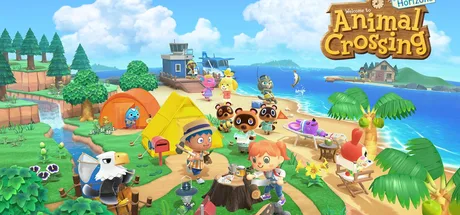
Where the Island Lives, Per the Starting Setup#
| Verified setup | Content | Qualitative conclusion it supports |
|---|---|---|
| Deserted Island Getaway Package | The player buys Tom Nook’s package and moves in | The island is a long-term place built through settlement |
| Two starting villagers | Two villagers on the island besides the player | Resident data lives there and needs continuity |
| Real-time life simulation | The game advances with real time | Progress depends on sustained save records |
| Free choice of house placements and movers | A mechanical change from previous games | Island state accumulates over a player’s long tenure |
| Fish and bugs go to Blathers’ museum | Four collection types are housed there | Collection progress is bound to this island |
Taken together, the island reads less like a resettable level and more like an archive that needs long-term preservation. Nook’s package is only the starting point; two starting villagers, house placements and museum exhibits all accumulate afterward — so “where does the data live, who does it follow” deserves sorting out earlier than in most games.
Hence this page refuses to state the following as claims:
| Common hard-sounding statement | How this page handles it | Reason |
|---|---|---|
| A console can hold only one island | Not stated as a claim; unverified on this site | No citable source obtained |
| Each console has a fixed island cap | Not stated as a claim; unverified on this site | No citable source obtained |
| How many islands one user profile maps to | Qualitative statement only | Official terms only describe the linkage |
The fact sheet gives the setup and mechanics; official terms give saves and linkage — neither supplies hard numbers of that kind. Better to write “qualitative binding” than to add a rule Nintendo never stated.
The Official Save-Data Terms, One by One#
The terms below come from Nintendo’s official store page (re-verified 2026-11-13) — an official first-party page, read separately from the fact sheet’s starting setup.
| Term | Content | Easily misread as |
|---|---|---|
| No save data cloud backup | The game does not support Nintendo membership save data cloud backup | Assuming you can roll back from the cloud anytime |
| Server recovery service | Members can recover saves from the server after console failure, loss or theft | Assuming it equals cloud backup |
| System transfer carries saves | A system transfer moves software and saves to the new console (Switch 2 edition) | Assuming a transfer creates a copy |
| User profile linkage | Resident data must be linked to the matching user profile to work | Assuming switching profiles has no effect |
| Expansion Pack membership expiry | After the membership ends, paid content can no longer be played | Assuming the content is buy-to-own |
| Upgrade Pack requires base game | The enhanced edition’s Upgrade Pack requires owning the base game | Assuming it can be bought standalone |
“Cloud backup” and “server recovery” must be kept apart — the most commonly blurred point on this page:
- Different prerequisites: cloud backup is a standing feature; server recovery activates only in officially listed scenarios.
- Different triggers: the latter targets console failure, loss or theft — not everyday change of mind.
- Different coverage: the game explicitly does not support the former, so there is no “undo anytime” tier.
Risk Scenario / Available Means / Prerequisite#
| Risk scenario | Available means | Prerequisite |
|---|---|---|
| Console failure | Member recovery from the server | Must be a Nintendo member; official listed scenario |
| Console lost or stolen | Member recovery from the server | Same — not an anytime rollback feature |
| Moving to a new console | System transfer moves software and saves together | A transfer is a full relocation; no copies |
| Switched user profile | Re-link the resident data | Resident data must be linked to the matching profile |
| Membership expired | No means to keep playing paid content | Expansion Pack access ends with membership |
| Want the enhanced edition | Buy the Upgrade Pack | Base game required |
| Want a cloud rollback | Not offered | Save data cloud backup unsupported |
The one thing to remember from this table: every means has a prerequisite, and no row says “undo anytime.” New console, new profile and expired membership are three entirely different matters — consoles go through system transfer, profiles go through data linkage, and expiry affects whether paid content continues. None substitutes for another.
Three prerequisites need special checking:
- Membership: server recovery is for Nintendo members; non-members are outside this means’s scope.
- Profile linkage: after a transfer, don’t casually switch profiles, or resident data may stop working.
- Base game ownership: both the Upgrade Pack and the paid content stand on owning the base game.
Ownership Prerequisites for the Upgrade Pack and Paid Content#
Again per Nintendo’s official store page (re-verified 2026-11-13) and the fact sheet — what you buy, and on what basis:
| Item | Verified content | Prerequisite / boundary |
|---|---|---|
| Enhanced edition | Released 2026-01-15; enhanced version plays only on the new console | Per official store page re-verification |
| Original game | The original cartridge still plays the original version on original hardware, without enhanced features | Per official store page re-verification |
| Upgrade Pack | Purchasable by owners of the base game | Base game required |
| Happy Home Paradise | Launched 2021-11-05 at $24.99 / 2,500 yen / HK$169 | Paid content; base game required |
| Expansion Pack entitlement | Expansion Pack members who own the base game play at no extra cost | Access ends when the membership does |
Confirm three things before buying:
- Whether you already own the base game — the Upgrade Pack is not a standalone entry; it builds on the base game.
- Whether you understand membership expiry — the Expansion Pack’s free play is not buy-to-own.
- Whether you’ve separated free from paid — 2.0 is a free update, Happy Home Paradise is paid content; don’t cross-apply them.
What to Verify Before a Transfer#
- Confirm which user profile the resident data is linked to, and don’t switch profiles after the transfer.
- Confirm you’re a Nintendo member, and that server recovery covers only failure, loss and theft.
- Understand there is no save data cloud backup — don’t count on a cloud copy to roll back to.
- If you plan to play the enhanced edition, confirm you own the base game before considering the Upgrade Pack.
- If you’re using Expansion Pack entitlements, remember paid content stops when the membership does.
- Keep free updates and paid content in separate ledgers, so the Upgrade Pack and the Expansion Pack don’t blur together.
The point of this checklist is not step-by-step operations but “verify prerequisites first, then act”: data linkage, membership status, base-game ownership — when all three line up, transfers and recovery won’t fall through.
Common Misreadings, Cleared Up#
| Common claim | This page’s clarification | Basis |
|---|---|---|
| “There’s cloud backup anyway, do whatever” | The game does not support save data cloud backup | Official store page re-verification |
| “Server recovery is cloud backup” | The former targets failure, loss, theft only — with prerequisites | Official store page re-verification |
| “A system transfer leaves an extra copy” | A transfer relocates software and saves as a whole | Official store page re-verification |
| “Buy an Upgrade Pack and the enhanced edition just works” | The Upgrade Pack requires owning the base game | Official store page re-verification |
| “Expansion Pack content is buy-to-own” | Play ends when the membership does | Fact sheet, verified |
| “One console, one island” | Unverified on this site; qualitative statement only | No citable source obtained |
Read together, these clarifications draw a plain boundary: the island does bind to console and user profile, but the binding’s specifics are governed by official terms; recovery, transfer and upgrades each carry prerequisites. What to remember is not a number but “check the prerequisites first.”