Multiplayer and Disconnection Issues#
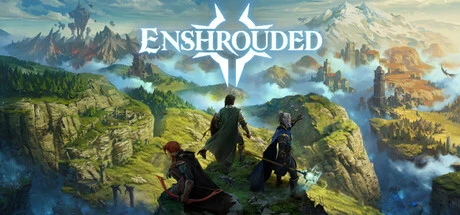
Enshrouded fits up to 16 players in one world for pure co-op play and has no official public servers; disconnects and desync mostly trace back to the P2P link, port forwarding and server load - work through this page in order to pinpoint yours.
First, the basics: this is a pure co-op survival action RPG. The official FAQ states clearly there is no PvP mode and none is planned, you can play solo or offline, and your teammates will mostly be friends and a regular crew, so do not worry about being ambushed by strangers. The 1.0 full release shipped on October 15, 2026 (Steam and PS5 simultaneously, $39.99 base price, 138 yuan in the China region, after a September 8, 2026 bump from $29.99/98 yuan), and the developer runs no public servers at all. Multiplayer comes in two flavors: P2P direct connection with one player hosting, or self-hosted/rented dedicated servers. Facts on this page are current as of October 15, 2026, with official statements and community experience labeled separately; see the multiplayer and servers guide for platform differences and a detailed rental comparison.
Multiplayer Quick Reference#
| What you are seeing | Most likely problem type | Which section to read |
|---|---|---|
| Friends cannot find your server | Ports not forwarded, wrong launch method or server not ready | What if friends cannot find my server |
| Connection fails or heavy packet loss when joining | Host upload bandwidth or link quality | What to do about failed joins and heavy packet loss |
| Increasing lag and rolling disconnects after hours of play | Performance decay from long server uptime | Why do disconnects and terrain desync happen |
| Building terrain mismatched, entities desynced | Player count or load over capacity | Why do disconnects and terrain desync happen |
| Worried about progress loss after disconnect or server change | Character and save migration rules | Will I lose progress |
| PC and PS5 friends want to play together | Crossplay restrictions | Can I play cross-platform |
Up to 16 Players Online: Direct Connection or Dedicated Server#
Bottom line first: the official figure is up to 16 players per world (Steam copy matches the official FAQ), but the hosting method decides the experience - P2P direct connection has no official player cap number, and the community consensus is that 4-8 players is reasonably stable; to actually fill 16 slots steadily, you need a dedicated server.
| Hosting method | Player count | Cost | Best for |
|---|---|---|---|
| P2P direct (one player hosts) | No official number; community consensus 4-8 stable | Free | Short sessions with a few close friends |
| Self-hosted dedicated server | Up to 16 (slotCount can be set 1-16) |
Free, but needs an always-on computer | Technical players, long-term fixed worlds |
| Rented hosting | Up to 16 | Monthly fee | Fixed groups who want zero hassle and 24/7 uptime |
Three additions:
- Dedicated servers cost nothing extra: after buying the game, unlock it free under the ‘Tools’ category in your Steam library (a separate app, appid 2278520). The official 2024 stance was Windows-only at the time with Linux support planned; the current status of Linux support has no official confirmation; the community has third-party setups deploying it on Ubuntu via SteamCMD (forcing the Windows platform type at download time) with Wine.
- The developer partners with GPortal, offering an in-game entry for renting servers directly; beyond that there are no official public servers.
- Self-hosters should read the next section on ports and config files; renters can jump straight to the pre-order checklist in the multiplayer and servers guide.
What if Friends Cannot Find My Server#
Bottom line first: nine times out of ten it is ports and launch method. Follow the six steps below; most cases of ’the host sees their own server, teammates never find it’ stall at step two.
-
Confirm the server is actually ready: the first run generates
enshrouded_server.json, and the console or log must show these two lines before the server is open for business:[Session] 'HostOnline' (up)! finished transition from 'Lobby' to 'Host_Online' -
Forward the ports: the defaults are
gamePort 15636andqueryPort 15637, both UDP, and they must be opened on both the router and Windows Firewall sides. Forwarding only one side is the most common root cause of an unfound server. -
Change the launch method: run
enshrouded_server.exedirectly instead of clicking the launch button in the Steam library (explicit official FAQ guidance). -
Skip the list and connect directly: have teammates open the Steam client’s ‘View → Game Servers → Favorites’, add your
IP:15637and join directly. -
Give the list some patience: a newly created server takes 5-15 minutes to appear in the public list.
-
Lock the door: set
passwordinenshrouded_server.json- a password is this game’s only access-control tool, and a server listed publicly is open to everyone; setting one is strongly advised.
A word on ’network type’ while we are here: the host’s network must be reachable by teammates from the outside. Home broadband usually sits behind a router, and when ports are blocked the symptom is that members on the same local network can join while friends from the internet cannot. The test is simple - if LAN joins work but internet joins fail, go back and check step two’s port forwarding; if you do not want to touch ports, switch to a dedicated server as your public entry point.
What to Do About Failed Joins and Heavy Packet Loss#
Bottom line first: for join-phase failures, suspect the host’s upload bandwidth and link quality first - the official estimate is about 2 Mbps of upload per player for server load, and that is the hardest criterion. Troubleshoot in order:
- Switch the host machine to wired networking. Wi-Fi jitter is unnoticeable day to day, but once several players load the same area simultaneously it amplifies into group-wide stutter.
- On the host, close background downloads, cloud sync and game streaming to free up upload bandwidth.
- Check against the bandwidth criterion: with upload roughly equal to download, a 4-player group needs the host to have at least 8 Mbps upload - any less and someone gets squeezed offline.
- Confirm version match: client and server must both be 1.0; if the whole team cannot get in on patch day, the versions are almost certainly misaligned (troubleshooting order in the multiplayer and servers guide).
- If you have done all of the above and packet loss persists, the P2P link itself cannot carry it - replace the direct connection with a self-hosted or rented dedicated server.
If you plan to self-host, self-check against the official FAQ’s recommended specs:
| Item | 4-6 player server | 16 player server |
|---|---|---|
| Processor | Six cores at 3.2 GHz (12 threads) | Eight cores at 3.7 GHz (16 threads) |
| Memory | 16 GB | 16 GB |
| Disk | SSD, at least 30 GB install space | SSD, at least 30 GB install space |
| Save size | About 100 MB per saved world | Same as left |
| Upload bandwidth | About 2 Mbps per player | Same as left |
Why Do Disconnects and Terrain Desync Happen Mid-Session#
Bottom line first: for disconnects in long sessions and ‘your house looks different from mine’, there are two root causes - performance decay after long server uptime, and player count or load exceeding capacity.
- Performance decay: community reports describe a memory-leak-like decay on dedicated servers - the longer they run, the laggier they get - and the common practice is a planned restart every 8-12 hours. This is community experience, not officially confirmed, but it costs almost nothing and is worth trying.
- Terrain and entity desync: exceeding the official player cap, or privately inflating
slotCountpast 16 players, breaks world scaling and causes terrain desync. The official advice is to lowerslotCountto relieve the server. When a big crew sees mismatched buildings, check player count and config first instead of tearing the house down to rebuild. - Disclaimer: as of October 15, 2026, the developer has issued no dedicated announcement on disconnects; the handling in this section all comes from community experience, and its effectiveness depends on your own testing.
One hidden variable during disconnect-heavy stretches is load peaks: everyone warping home at once or entering a large build area together puts far more instantaneous pressure on a P2P host than splitting up to explore. Fixed groups can stagger their ‘gather-up teleports’ - that beats any settings change.
Will I Lose Character Progress After a Disconnect or Server Change#
Bottom line first: reconnecting after a disconnect loses no character data; moving a character to another server also has officially supported migration rules - what travels and what stays is in the table below.
| Travels with the character | Stays in the original world |
|---|---|
| Equipment, inventory, level and skills | Most crafting recipes (unlocked via world-bound NPCs and workstations) |
| Personal recipes that need no workbench | Freed NPCs (the new world requires rescuing them again) |
| Map progress (terrain kept, location markers and fog of war removed) | Towers discovered and shared by teammates |
| Previously collected Shroud Roots (cannot be farmed by making a new world) | |
| Self-learned knowledge texts, tutorials and towers found on your own |
Two practical criteria:
- A single-player save can be moved onto a dedicated server: saves live in the
Saved Games/Enshrouded/folder under your user documents; copy the save into the server’ssaveDirectoryto migrate it. Back up first, and make sure the save version matches the server version. - Early access saves can be carried into 1.0: the official launch FAQ of October 13, 2026 confirmed old saves are convertible, so veterans do not need to start over for 1.0.
Should I Use a VPN/Booster: First Find Which Link Fails#
Bottom line first: a booster only fixes the segment between you and the host or server - it can do nothing about server overload, version mismatch or blocked ports - so pinpoint the stage with the quick reference table first, then decide whether to spend the money.
| Symptom | Most likely failing stage | What to do first |
|---|---|---|
| Only one player disconnects, everyone else is fine | The link between that player and the host | That player switches to wired and tests raw latency and packet loss |
| Everyone drops at once, host still up | The host side or the server side | Check host upload usage and whether the server has gone too long without a restart |
| Disconnects at fixed hours, fine otherwise | Local broadband peak congestion | Verify at a different time of day, then consider a booster or another route |
| Nobody can join on patch day | Version mismatch | Align versions per the multiplayer and servers guide |
| Terrain and buildings mismatched | Server load | Lower slotCount back into the officially recommended range |
Combined with this game’s architecture, five criteria on boosters:
- Be clear about which link you are boosting: P2P boosting speeds up the path between you and the host; a dedicated server boosts the path between you and the datacenter - not the same thing.
- The hard part of P2P is both ends: a booster only optimizes your own side’s routing; if the host’s network is bad you still drop - either both of you run it, or just switch to a dedicated server.
- For rented servers, check the datacenter location first: the developer has published no server region map; where your world lives is decided by whoever hosts or rents it - pick a datacenter near the whole team and you mostly will not need a booster at all.
- The PS5 cannot install booster clients, so only router-level solutions work there; test raw latency before paying for that.
- Closing rule: with normal raw latency and packet loss, do not use a booster; bring one in only when the link is bad and switching servers is not an option. It cannot cure overload or version problems.
Can I Play Cross-Platform#
Bottom line first: 1.0 has no crossplay. The official launch FAQ of October 13, 2026 states this explicitly; cross-platform play is in development with no delivery timeline, and cross-progression (shared progress) is not officially confirmed either. Confirm everyone’s platform before forming the group: PC (Steam) players play together as usual, PS5 players likewise - a mixed-platform group cannot share a server during the 1.0 stage. Console lineup expansion waits for the Xbox Series X|S version planned for spring 2027. For PS5 subscription requirements, server limits and other platform differences, see the multiplayer and servers guide; for the full list of 1.0 changes, see all 1.0 changes explained.
Further Reading#
- Multiplayer and servers guide - platform differences, server rentals and version consistency troubleshooting
- FAQ and stuck-point help - quick lookup for high-frequency questions
- Performance optimization and settings advice - client-side FPS and graphics optimization ideas
- Beginner guide and opening flow - get your first day sorted before going online
- Enshrouded guide hub - navigation for the whole section