ACNH Museum Guide: Fish, Insects, Fossils and Art with Blathers#
Both fishing and bug-catching in this game point at one destination: Blathers’ museum. The fact cards summarize the system as “fishing and bug-catching deliver to Blathers’ museum”, placing it alongside gathering-crafting and Island Designer as core gameplay. For players, the museum is both the collection ledger and the island’s most visible progress bar.
The 2.0 free update added a floor to the building: the museum’s second floor now hosts a café run by its barista around the clock, whose in-store phone scans amiibo to invite designated characters, with multiple players welcome simultaneously. The same version’s Pro Camera app (eye-level view) makes “observing and framing” part of collecting itself.
This page sets the four collection categories in a table, then covers the café, the clock and the camera. Fish and bug appearance tables are unverified on this site — stated as such, with no invented month or spot tables.
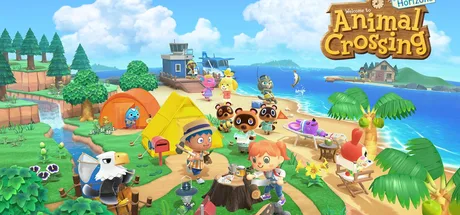
Blathers and the Museum: The Delivery Point of Fishing and Bugs#
Blathers is the museum’s receiver. Fish caught in rivers and at the sea, bugs caught on grass and by trees — all must be delivered, registered and displayed at the museum; an island’s collection completeness shows clearest in the empty exhibit slots.
Pinning the delivery target matters: fishing and bug-catching are two different operations, but their results funnel to one place, giving the “four categories” a single ledger. Blathers is not a swappable inbox — he is a fixed role in this collecting structure.
| Element | In this game | Notes |
|---|---|---|
| Acquisition | Fishing, bug-catching | Core operations per the fact cards |
| Delivery target | Blathers | The museum’s receiver |
| Registration and display | Museum exhibits | Visualization of progress |
| Collection categories | Fish, insects, fossils, art | Four parallel categories |
| Time backdrop | Real-time clock, hourly music shifts | Shapes the observing experience |
- Fishing and bug-catching are two operations sharing one delivery point — don’t split the ledger in two.
- The museum differs from Nook’s Cranny and Harv’s Island: it takes collection results, while the other two run on Bells and commissions.
- The game opens with the Deserted Island Getaway Package; the museum is a public building only a growing community can support.
- “Blathers” is the section’s standard term; no alternate names appear in the text.
The Four-Category Collection Table#
The four categories are this page’s central table: fish, insects, fossils, art. Keep “category” separate from “appearance window” — the former is the game’s collection structure; the latter involves months, times and spots, and that is exactly what stays unverified.
So the table below carries only category membership and verified acquisition directions — no months, times or spots. Fossil and art details (excavation flow, authenticity checks) are likewise unverified; no player-lore fill-ins appear.
| Category | Verified acquisition direction | Delivery point | Verification status |
|---|---|---|---|
| Fish | Fishing | Blathers’ museum | Appearance time/place tables unverified on this site |
| Insects | Bug-catching | Blathers’ museum | Appearance time/place tables unverified on this site |
| Fossils | Island excavation | Blathers’ museum | Excavation and registration flow unverified on this site |
| Art | Specific island channels | Blathers’ museum | Acquisition and authentication details unverified on this site |
- The four categories run parallel — a collecting structure, not a rarity ranking; no rarity numbers appear here.
- Fish and insect “acquisition directions” have direct fact-card support; fossils and art get qualitative direction only, no invented spots.
- The collection-completeness page covers “how to build your own ledger”; this page only draws the four categories’ boundaries.
- Any table claiming “this month, this hour, this spot, guaranteed” is not content this section will stand behind.
The Museum’s Second-Floor Café: The Barista and 24-Hour Service#
Among 2.0’s returning characters, the one closest to the museum is its barista. The fact cards state it: the café sits on the museum’s second floor, runs 24 hours, its in-store phone scans amiibo to invite designated characters, and multiple players can be present at once. “Deliver the fish and bugs, then head upstairs” becomes a natural one-trip route.
The 24-hour service complements the real-time clock perfectly: everywhere else on the island keeps business hours, while the café is always open. And the phone’s amiibo invites turn “hoping to run into someone” into designating them.
| Item | Verified content | Notes |
|---|---|---|
| Location | Museum second floor | Same building as the exhibits |
| Host | The barista | 2.0 returning character |
| Hours | 24-hour service | No time-of-day limit |
| In-store phone | Scans amiibo to invite designated characters | Designation, not chance |
| Concurrent visitors | Multiple players at once | Related to multiplayer visits |
| Version | 2.0 free update | Same-day launch with HHP |
- Café upstairs, exhibits downstairs — delivering fish and bugs and having coffee are two steps of one route.
- Multiple concurrent players is a multiplayer-visit scenario; head-count caps belong to the multiplayer page.
- The café’s “invite designated characters” and HHP’s “invite designated clients” are two distinct functions — don’t merge them.
- The barista-player overlap that once jammed movement was fixed in a post-2.0 patch — useful side evidence of system boundaries.
Real-Time Clock, Hemispheres and Kapp’n Islands’ Windows#
Why no fixed month table? Because this is a real-time life simulator whose weather and seasons follow the player’s real hemisphere — a series first. Appearance windows track real time and hemisphere, so a frozen static table was never the right shape.
Kapp’n’s island tours add another variable: 1000 miles per ride, reaching islands of other seasons and times with mysterious plants. So beyond your island’s current season, boat tours open other time windows — the practical reason no fixed spot table belongs here.
| Window factor | Verified mechanism | Meaning for collecting |
|---|---|---|
| Real-time progression | Real-time life simulation | Dates and hours shift together |
| Real hemisphere | Northern/Southern season split | The hemispheres’ current seasons differ |
| Real weather | Adjusts with weather | Observation conditions vary daily |
| Kapp’n boat tours | 1000 miles / ride | Islands of other seasons and times |
| Specific months and spots | Unverified on this site | In-game observation rules |
- On the same real date, a Northern-Hemisphere player and a Southern-Hemisphere player see different seasons — collecting paces naturally diverge.
- Kapp’n’s 1000-mile price is verified; budgeting it into miles beats copying a spot table.
- Gyroid fragments buried, watered and left overnight, and crop growth, share this same “wait a while” time philosophy.
- Dream-address searches by island name — a 2.0 lookup method — make a useful comparison point.
The Pro Camera: Eye-Level Observation and Framing#
2.0’s Pro Camera app (eye-level view) puts the lens at the character’s own eye height. For the museum line, its value is not “pretty pictures” but a reproducible way of observing: the same exhibit hall, the same riverbank, shot again at another hour — the difference simply sits there.
Paired with the hourly music shifts and the resident musician’s tracks, the division is clean: one governs the soundscape of time, the other the visual one. Collecting includes logging “when and where I saw it”, not just handing over the fish and bugs.
| Observation tool | Verified points | Collecting use |
|---|---|---|
| Pro Camera app | 2.0 addition, eye-level view | Before/after comparisons of the same spot |
| Hourly music shifts | Change each hour | Reading the hour’s mood |
| Resident musician’s tracks | Echo the hour’s mood | Aids time-point logging |
| In-game calendar | Per in-game display | Checking dates and seasons |
| Self-built ledger | Player’s own records | Replaces unverified spot tables |
- Eye-level suits riverbanks, cliff edges and exhibit displays — closer to what you actually see on the island than the overhead view.
- Naming photos “real date + island season + hour” builds a reviewable image index onto the ledger.
- The Pro Camera shares 2.0’s visual line with solid wallpaper and ceiling furniture, but its use differs — don’t lump them.
- The camera changes observation, not appearance windows; any “camera spawns rare fish” claim is rejected on this site.
Fish and Bug Appearance Tables: Unverified on This Site#
Nailing the boundary down last. The fact cards list “fish/bug appearance time/place tables” as unverified, so this page writes no month table, hour table or spot table, and no collection totals. That is not omission — it is refusing to dress player-compiled schedules up as official data.
The alternative is a method you can complete in-game: build a ledger with “date, hemisphere, season, weather, hour, spot, catch”, record daily, and cross-check against boat tours and dream searches. It relies on no unverified numbers, yet gradually grows your own appearance patterns.
| Item | Status | Alternative approach |
|---|---|---|
| Fish/bug month tables | Unverified on this site | In-game observation rules |
| Appearance time/place tables | Unverified on this site | Self-built ledger by fields |
| Collection totals | Unverified on this site | No numbers; tick items by category |
| Fossil and art details | Unverified on this site | Category membership only |
| Rarity and rates | Unverified on this site | No numbers |
- Suggested ledger fields: real date, your hemisphere, island season, that day’s weather, hour, spot, catch.
- A rhythm of “one island visit per day, weekly per-category summaries” beats transcribing one grand table.
- Reading your island, boat-tour islands and dream-searched islands side by side validates the hemisphere mechanic.
- The collection-completeness page expands the ledger’s fields and rhythm; this page only explains why spot tables stay unwritten.