Updates#
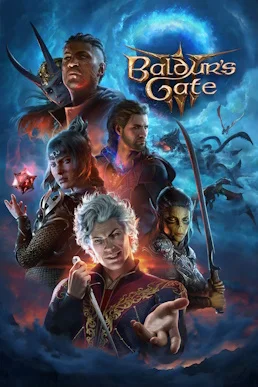
Since its official release on August 3, 2023, Baldur’s Gate 3 has maintained a two-track update cadence of major patches and small hotfixes. Major patches introduce new gameplay and mechanics, while hotfixes address crashes and severe bugs. This page does two things: it organizes the version history since release into a reference table, then provides practical criteria for handling updates—when to update immediately, when to wait, and what to check first afterward.
Version History#
| Version | Date | Major Content | What Players Should Know |
|---|---|---|---|
| 1.0 | August 3, 2023 | Official release with all three Acts | Starting point for every numerical baseline on this page |
| Hotfix 1–5 | August to September 2023 | Performance improvements, crash fixes, and dialogue bug fixes | Stability-only hotfixes with no gameplay changes |
| Patch 1 | September 21, 2023 | Extensive performance improvements, with a major frame-rate gain in Act 3 | Devices with low-to-mid-range specifications benefit most |
| Patch 2 | September 29, 2023 | Added the Magic Mirror, allowing character appearance changes | A remedy if you dislike your initial character creation choices |
| Patch 3 | October 6, 2023 | Released the Mac edition and added extra dialogue content | Entry point for Mac players |
| Patch 4 | November 3, 2023 | Extensive bug fixes and performance improvements | Major stability release |
| Patch 5 | January 16, 2024 | Added Honour Mode, giving bosses Legendary Actions | The update with the greatest gameplay impact; see the dedicated section below |
| Patch 6 | March 6, 2024 | Added dialogue options and expanded camp interactions | Richer Companion approval and camp-story content |
| Patch 7 | September 5, 2024 | Released official modding tools and added new evil-ending cinematics | A key version milestone for mod users |
| Patch 8 | January 28, 2025 | Cross-play and Photo Mode | See the criteria for multiplayer and screenshots below |
Scope note: the table above matches the version records on the main Baldur’s Gate 3 guide page. For the specific details of each release, the official patch notes are authoritative.
Patch Cadence: How to Distinguish Major Patches from Hotfixes#
| Criterion | Major Patch | Hotfix |
|---|---|---|
| Numbering | Increasing numbers, such as Patch 5 and Patch 8 | Consecutive smaller numbers, such as Hotfix 1–5 |
| Content | New modes, mechanics, content, and fixes combined | Primarily fixes for crashes, stuttering, and dialogue bugs |
| Download size | Usually much larger | Usually very small |
| Recommended action | Read the patch notes before deciding whether to update immediately | Install promptly, prioritizing stability |
Honour Mode: The Most Gameplay-Altering Update#
Honour Mode, added in Patch 5 in January 2024, is the only update in the entire series to change the core save rules. See the complete tactics in the Honour Mode guide; this section covers only three points directly related to the version:
- Stacked rules: Honour Mode builds on Tactician difficulty, multiplying enemy health by ×1.5, adding +3 to enemy attack rolls, and granting Legendary Actions to every boss.
- Changed save rules: the save system changes from multiple saves to a single autosave, with no option to create extra manual saves. A total party wipe ends the Honour Mode run and converts the save to Tactician for continued play, but the Honour Mode achievement and Golden D20 reward are no longer available.
- Rewards and achievements: completion rewards are the account-wide Golden D20 appearance and the Honour Mode achievement. Finishing the mode also retroactively grants the Tactician achievement if it was not previously earned.
Current-Version Difficulty Baselines#
The table below shows difficulty baselines that can be verified in gameplay. See Difficulty for the full comparison and selection advice.
| Value | Explorer | Balanced | Tactician | Honour Mode |
|---|---|---|---|---|
| Enemy health | ×0.5 | ×1.0 | ×1.3 | ×1.5 |
| Enemy attack bonus | -2 | +0 | +2 | +3 |
| Player damage multiplier | ×0.7 | ×1.0 | ×1.0 | ×1.0 |
| Healing effectiveness | Enhanced | Standard | Standard | Standard |
| Camp supplies for Long Rest | 20 | 40 | 80 | 80 |
| Save system | Multiple saves | Multiple saves | Multiple saves | Single save |
| Boss Legendary Actions | No | No | No | Yes |
| Enemy AI | Simplified | Normal | Enhanced | Significantly enhanced |
Use this table as a comparison test. Whenever later patch notes mention difficulty-balance changes, enter the game, play one real combat encounter, and compare the experience against this table. That quickly identifies the affected numerical dimension, faster than reading an entire set of patch notes to locate the change.
Four Things to Do Before Updating#
- Confirm cloud-save status: when platform cloud saves are enabled, old save states may be overwritten by synchronization. To preserve a rollback option, first check cloud-save synchronization in the platform settings.
- Back up saves manually: copy the entire save folder outside the game installation directory. Saves are usually inside a developer-named folder under the system user directory; if you cannot find it, confirm the path through the in-game save interface.
- Take extra care in Honour Mode: a single-save run has no reload fallback. First confirm that the patch notes contain no save-compatibility warning; if uncertain, wait a day or two for community feedback before updating.
- Record your mod list: note every currently enabled mod before updating. After a new patch launches, wait for mod authors to mark compatible versions before deciding whether to update the game itself.
Post-Update Checklist#
- Startup test: enter the main menu normally and load a recent save.
- Cross-Act progress test: load another save from an earlier Act and confirm that both earlier and later progress work normally.
- Settings check: confirm that graphics, audio, and keybind settings were not reset. If they were, use Controls and Settings to restore your preferred keybinds.
- Mod troubleshooting: enter the game once with all mods disabled. After verifying the base game, enable mods one at a time so any problem can be traced directly to a specific mod.
- Compare multiplayer versions: confirm that every party member has the same version before scheduling a session, rather than discovering at the start that someone cannot enter the lobby.
When to Update Immediately and When to Wait#
| Situation | Recommendation | Basis |
|---|---|---|
| Patch notes mention fixes for corrupted saves or severe bugs | Update immediately | Delaying a stability fix only increases the risk |
| Currently pushing through Honour Mode | Evaluate carefully | A single save has no fallback, so confirm compatibility notes first |
| A playthrough depends on mods | Delay the update | Wait for mod compatibility to avoid corrupting a save midway through |
| The patch only adds content and does not alter existing systems | Update at any time | New content does not affect current progress |
| Playing in a regular multiplayer group | Have everyone update together | Version mismatches prevent party formation |
Version Criteria for Mods and Multiplayer#
Mods:
- Enable a mod only when the compatible version stated in its description matches the current game version.
- After updating the game, follow “disable all → verify the base game → enable one at a time.” This is the fastest binary-style troubleshooting process for locating an incompatible mod.
- Treat the mod entry point and availability shown in the game as authoritative; platforms and versions may differ.
Multiplayer:
- The game supports 4-player co-op. Since Patch 8, cross-play allows PC and console players to join the same party.
- Matching versions are required for multiplayer. If a lobby does not appear or cannot be joined, compare version numbers with the other player first. A mismatch is the most common cause; network troubleshooting comes second.
How to Confirm Your Current Version Number#
- The main menu usually displays the current version number, letting you verify it immediately after launch.
- On PC, check the Steam client’s download history and the game’s news page for the date and notes of the most recent update.
- On console, rely on the system update log and version information shown on the store page.
- If uncertain, compare the date against the “Version History” timeline above; the version associated with the most recent update is the current one.
How to Read Patch Notes#
When update notes arrive, read these three sections in order to determine how the update affects your current playthrough:
- Save compatibility notes—decide whether to update immediately; Honour Mode players should prioritize this section.
- Balance-change list—decide whether the current build needs changes; compare against build pages only when core mechanics are affected.
- New-content list—decide what to play first after updating; new modes and gameplay features usually appear in major patches.
How Updates Relate to This Site’s Guides#
| Site Page | Version Baseline | What to Recheck After a Patch |
|---|---|---|
| Honour Mode Guide | Single-save and Legendary Action rules introduced by Patch 5 | Recheck first when boss values or difficulty rules change |
| Difficulty | Difficulty baseline table above | Compare baseline values for balance changes |
| Controls and Settings | Keybinds and options in the current version | Restore preferred keybinds from this page if settings are reset after an update |
| Gallery | Photo Mode in Patch 8 | Update screenshot criteria when Photo Mode changes |
| Tips and Tricks | Tactics based on current mechanics | Recheck each item after a mechanics-level change goes live |
Frequently Asked Questions#
| Question | Criteria and Recommendation |
|---|---|
| Can old saves continue after an update? | Follow the save-compatibility notes in the patch notes; if concerned, manually back up the save folder before updating |
| Can an Honour Mode save survive an update? | A single save has no reload fallback—confirm that the patch notes contain no compatibility warning, or wait a day or two for community feedback |
| What should I do if mods stop working after an update? | Disable all mods and verify the base game first, then enable them one at a time to find the incompatible item; waiting for mod-author compatibility is the safest approach |
| Why can I not find my friend’s multiplayer lobby? | Compare version numbers first—a mismatch is the most common cause, and updating the whole party to the same version resolves it |
| How can I roll back to an old version? | Cloud saves move with the new version—instead of researching rollback, build the habit of manually backing up saves before updating |
Final Thoughts#
Looking back at this update history, the development pattern for Baldur’s Gate 3 is clear: rapid Hotfix releases stabilized the foundation after launch, Patch 5 raised the ceiling for hardcore play in the middle period, and Patches 7 and 8 later filled the two gaps in modding and cross-play. Ordinary players do not need to memorize a ledger of every version. Two firm rules are enough: back up saves before updating, and verify the base game before reinstalling mods afterward. As for how each patch actually feels, two hours of play communicates more directly than any manual.