Mario Kart World Controls: Gyro, Wheels and Smart Steering#
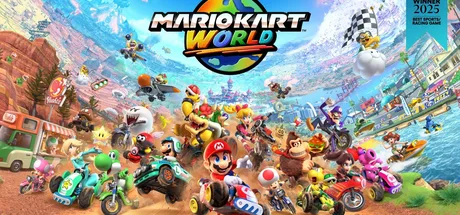
Mario Kart World launched alongside the Nintendo Switch 2 (Switch 2 hereafter) on June 5, 2025, developed by Nintendo EPD with Monolith Soft. With open-world tracks and up to 24 racers in one online field as its calling cards, driving feel has become one of players’ most-discussed topics. Unlike traditional kart games that rely solely on stick steering, this one offers three families of choices: motion, peripherals and assist.
Verified sources list four control-related capabilities: the bundled controller (Joy-Con) supports gyro motion steering; a dedicated steering wheel peripheral achieves precise steering; the smart steering mode can auto-correct to keep you from leaving the track; and slotting Joy-Con 2 into the wheel accessory lets you steer as if turning a car’s wheel. None are mutually exclusive — you can pair them differently in different modes.
This page walks through them in motion-peripheral-assist order and closes with scenario-based picks. All mechanics come from fact card item 15; parameters and settings that don’t appear there are not invented.
The Four Control Schemes at a Glance#
Seeing the four capabilities side by side avoids conflating motion with peripherals, or peripherals with assist. They solve three distinct problems: input method, steering precision, and tolerance for error.
| Scheme | Form | Main effect | Source |
|---|---|---|---|
| Gyro motion | Supported by bundled Joy-Con | Steer with motion input | Fact card item 15 |
| Dedicated wheel peripheral | Separately paired wheel device | Enables precise steering | Fact card item 15 |
| Wheel accessory | Slot Joy-Con 2 into the accessory | Turn controls like driving a car | Fact card item 15 |
| Smart steering mode | System assist function | Auto-corrects, keeps you on the track | Fact card item 15 |
The first three change “how you input steering commands”; the fourth changes “how the system handles those commands”. So when tuning your driving feel, first fix your input method, then decide whether to enable the assist.
Gyro Motion Steering#
The bundled controller supports gyro motion steering — a native capability needing no extra purchase. Motion input’s value is mapping fine wrist movements directly into steering, which shines on segments demanding precise line corrections.
- Gyro runs on the bundled controller, so it works the moment you own the console — no wheel purchase needed.
- Motion and stick inputs complement each other: the stick covers large-angle steering, motion covers fine corrections.
- The game’s new wall riding and rail grinding demand the kart follow narrow structures with high steering precision — exactly where fine motion adjustments pay off (mechanics in fact card item 12).
- Charge jumping requires holding drift on straights to build charge, and a stable body position before the hop also benefits from fine steering control (mechanic in fact card item 13).
One caution: the fact card confirms only “the bundled controller supports gyro motion steering” — no sensitivity steps, calibration flow, or default on/off state. The scenarios listed above are reasonable extensions of mechanics already in the game, not evidence of a hidden motion-specific rule.
The Dedicated Wheel and Precise Steering#
Where motion solves fine adjustment, the dedicated wheel peripheral addresses steering precision itself. Verified sources state: the dedicated wheel peripheral enables precise steering. For players chasing consistent lines, it’s a road entirely different from motion control.
| Aspect | Detail |
|---|---|
| Device nature | A dedicated wheel peripheral, an additional control device |
| Core advantage | Precise steering |
| Fit in this game | High-speed bends on Grand Prix connector roads, key lines in knockout races |
| Versus motion | The wheel emphasizes steering precision; motion emphasizes fine correction |
| Fact boundary | Specific models, compatibility lists and prices are not in verified sources |
Grand Prix no longer resets between tracks: after finishing, the pack drives along connector roads toward the next track, with position, items and speed momentum carried over. On such continuous segments, precise steering makes shortcut entrances and item-box placement easier to handle; in survival knockout, where results hinge on your position at the checkpoint instant, line consistency carries real weight too.
Because the fact card lists no compatible wheel models, this page describes only the capability “a dedicated wheel peripheral enables precise steering” — no product recommendations, prices or spec numbers.
Slotting Joy-Con 2 into the Wheel Accessory#
A third option sits between “controller only” and “dedicated peripheral”: slot Joy-Con 2 into the wheel accessory and steer as if turning a car’s wheel. Its special trait is keeping the first-party controller at the core while changing how you grip and turn.
- Prepare: take one Joy-Con 2 and the matching wheel accessory.
- Install: slot the controller into the accessory, forming a holdable wheel shape.
- Control: steer by turning the wheel like driving a car, rather than flicking a stick.
- Fits: players who want a car-wheel feel but prefer to keep the first-party controller.
This scheme is easy to confuse with the “dedicated wheel peripheral”, but verified sources describe them separately: the accessory entry emphasizes turning Joy-Con 2 car-style; the peripheral entry emphasizes precision from a dedicated device. Chase precise lines with the latter; prefer grip form and intuitive operation, choose the former.
Smart Steering and Auto-Correction#
Smart steering is the game’s answer to tolerance for error. Verified sources state: with smart steering enabled, the system can auto-correct and keep the kart from leaving the track. For newcomers, that meaningfully cuts the frustration of flying off the line on open-world roads.
| Item | Detail |
|---|---|
| Feature name | Smart steering mode |
| Core mechanism | Auto-correction |
| Direct effect | Keeps the kart from leaving the track |
| Benefiting scenarios | New players learning tracks, complex connector roads, long knockout races |
| Relation to line skills | Assist reduces mistakes but doesn’t replace track knowledge |
Smart steering shows its value in two scenarios. First, Grand Prix connector roads: with no reset between tracks, you cross different terrains at speed, and auto-correction helps hold a roughly correct heading. Second, survival knockout: drift off the line before a checkpoint and your position can collapse — the assist lowers that risk.
But smart steering solves “don’t leave the track”, not “go faster”. Techniques that treat vertical surfaces as alternate racing lines — wall riding, rail grinding — still require you to judge timing and route yourself; the assist is a safety net, not an autopilot.
Picking by Scenario: New and Advanced#
With four capabilities on the table, the rest is matching them to your stage and play style. The combinations below are grounded in verified capability descriptions — usage-level summaries, not prescriptions.
- Brand-new players: learn tracks and item rhythm on the bundled controller first, then enable smart steering to cut off-track mistakes.
- Players chasing feel: try gyro motion, using fine corrections to feel out line differences on wall rides and rail grinds.
- Car-style fans: slot the controller into the wheel accessory as described and steer by turning the wheel.
- Line-precision players: consider the dedicated wheel peripheral to stay consistent on connector roads and checkpoint-dense segments.
- 24-racer online regulars: prioritize “fewer mistakes” — smart steering’s tolerance is usually worth more than extreme line-hunting.
For a more systematic practice order, a progression:
- Step one: learn your chosen scheme’s steering feedback in Free Roam, which has no race, timer or rivals (fact card item 10).
- Step two: enter Grand Prix and test line consistency across connector roads in four-track continuous cups.
- Step three: take on survival knockout and decide under checkpoint pressure whether to keep the assist on.
No single combination is the right answer here. The modes differ sharply: Free Roam has no race or timer, so practicing motion control there is stress-free; knockout racing is tense, where the assist’s tolerance is more practical. Switching schemes by current goal beats fixing one setting forever.
Fact Boundaries and Common Misreadings#
A few points around controls and peripherals invite misreading — worth pinning down before closing.
- Gyro is not an extra accessory: it’s a capability of the bundled controller; no purchase needed.
- “Wheel peripheral” and “wheel accessory” are two things: the former is a dedicated device emphasizing precise steering; the latter means slotting Joy-Con 2 into an accessory and turning it car-style.
- Smart steering is not self-driving: it auto-corrects to keep you on the track; it does not perform drifts, charge jumps or item use for you.
- No parameters are invented: sensitivity steps, compatible models, prices and toggle locations never appear in the fact card, so none are filled in here.
Holding the fact boundary actually helps decision-making: start with the bundled controller and smart steering, learn the open-world tracks, then decide whether a wheel-class device is worth buying.