Co-Op and Multiplayer#
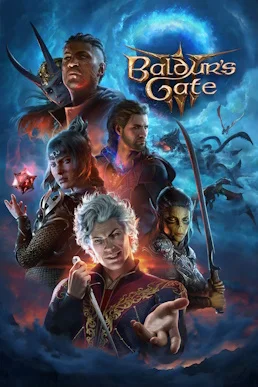
The multiplayer framework of Baldur’s Gate 3 can be summed up in one sentence: online co-op supports up to 4 players, with local split-screen and direct LAN connections, and multiplayer data runs peer-to-peer (P2P) instead of being routed through official servers. Crossplay has been supported since Patch 8 (2025-04-15), letting players on PC, Mac, PlayStation 5 and Xbox Series X|S group up through the Larian Network. Once you understand this architecture, “disconnects” and “failed joins” stop being a mystery and become a chain of steps you can work through in a fixed order. The information on this page was verified on 2026-10-15.
1. How Many Players Can Play Baldur’s Gate 3 Together?#
Online co-op supports up to 4 players, and local split-screen (couch co-op) and LAN play are supported as well; online groups, same-screen play and direct LAN connections all share the same 4-player ceiling (bg3.wiki, ign.com).
| Multiplayer mode | Description |
|---|---|
| Online co-op | Up to 4 players share one campaign; the host creates the campaign and invites friends to join |
| Local split-screen | Couch co-op is supported; Larian has not published a single uniform number of split-screen players per console — follow what the in-game lobby actually offers |
| LAN multiplayer | Players on the same LAN can group up directly without depending on public internet quality |
Split-screen crashes were not uncommon in earlier versions, but each one has since been hotfixed:
| Issue | Fixed in |
|---|---|
| Crash when a second controller joins and activates split-screen | Hotfix #12 (2023-12-02) |
| Crash when two clients join at once on Xbox; crash when pressing the LT/RT triggers | Hotfix #21 (2024) |
| Missing split-screen support on Xbox Series S at launch | Added by Patch 8 (eurogamer.net) |
If the split-screen entry point is missing or the game crashes when a controller joins, first make sure the game is updated to the latest version, then follow the general Fixes for Crashes and Black Screens procedure to check the controller and system settings.
2. How Do You Turn On Crossplay?#
Crossplay has been supported since Patch 8 (2025-04-15): PC, Mac, Xbox Series X|S and PS5 players group up through the Larian Network, and everyone needs to be logged into a Larian account.
Setting up a cross-platform session breaks down into four steps:
- Every player logs into their Larian account in-game — this is the prerequisite for cross-platform grouping;
- The host creates a campaign and sends invites to friends on other platforms through the Larian Network;
- Once guests accept, the game automatically compares versions and mod differences (see section 5);
- The host starts the game after validation passes, and campaign progress is stored in the host’s save.
On the save side, cross-progression is supported across all platforms; but before Xbox Play Anywhere (launched 2026-08-03, buy the Xbox version and get the Windows PC version), sharing progress between console and PC meant buying the game separately on both platforms. Larian has published no details on multiplayer interoperability between the XPA version and the Steam or GOG versions, so test it in-game before grouping across ecosystems. Chinese community members have already reported successful tests building a lobby and syncing saves between Steam and PS5 through the Larian Network (tieba.baidu.com).
3. Why Does Multiplayer Keep Dropping?#
Multiplayer here runs on a peer-to-peer (P2P) architecture with no traffic routed through official servers, so the host’s upstream bandwidth and NAT type determine connection quality for everyone — official server outages are essentially irrelevant.
This architecture gives us three troubleshooting basics:
- There is no such thing as “the official servers went down”: the session is centred on the host’s machine, so if the host drops, everyone drops. When you see a mass disconnect, check the host’s network first instead of waiting for Larian to fix a server;
- The host is the floor for everyone’s quality: prioritise upstream bandwidth, a wired connection and NAT type on the host side — picking the right host matters more than picking an accelerator node;
- Watch the official announcement channels: there is no official server status page for this game; official information goes out on the official website (baldursgate3.game) news page, the Larian forums and the official Discord. Check those three first if you suspect a version-related multiplayer problem, and cross-reference the hotfix timeline in Version Updates.
The disconnect experience itself is also being improved continuously: Hotfix #30 fixed the loading hang when joining a cross-platform lobby without an invite, non-crossplay sessions being flagged as crossplay, and silent join failures, and it added “return to the main menu automatically when a join times out” plus improved disconnect handling — after a disconnect on PC, online features are now correctly disabled with the message Online features are disabled.
4. How Do You Fix “Joining failed: connection failed”?#
Four known causes exist: mismatched game versions, expansions or mods; strict NAT; congested cross-border routes; and third-party software blocking traffic. Work through them in the order version, then network, then software.
The error text reads Joining failed: connection failed. Here is how to identify and handle each of the four causes:
| Cause | Typical symptoms | Fix |
|---|---|---|
| Version, expansion or mod mismatch | Joining fails immediately, or the game crashes soon after starting | Get everyone on the same version; align the mod list and load order as described in section 5 |
| Strict NAT | The lobby is visible but joining always fails | Enable Universal Plug and Play (UPnP) on the router, or configure port forwarding following the official support page |
| Cross-border route congestion | Latency spikes, packet loss and input rubber-banding at peak evening hours | Have both host and guests use an accelerator or a virtual LAN (see section 6) |
| Third-party software blocking | Connection failures start right after installing a new firewall, antivirus or accelerator | Temporarily disable blocking software or whitelist the game, then retest |
Before pinning down the cause, run through the general checklist first (compiled from community and official support guidance):
- Verify the integrity of the game files through Steam to rule out missing files;
- Clear the cache in the user directory
%LocalAppData%\Larian Studios\Baldur's Gate 3(clear only cache and config, keep your saves); - Switch to a wired connection and close background programs that eat bandwidth — downloads, streaming, cloud sync;
- Settle on a permanent host and keep everyone on the same version — the easiest rule to enforce in multiplayer.
5. What If a Cross-Platform Lobby Reports a Mod Mismatch?#
When you join a cross-platform lobby the game automatically detects mod differences and prompts you to install, uninstall or update; the whole group’s mod list and load order must match exactly or the game will refuse to start or crash partway through.
Four things worth remembering about mod validation:
- Validation is automatic: as guests join the lobby the game compares mods item by item, prompting an install for missing ones, an uninstall for extra ones and an update for outdated ones;
- Load order counts as a difference too: the same list in a different order can also get your start refused or crash the session halfway through;
- Uninstall your mods before reporting bugs: Larian has repeatedly asked players in hotfix notes to remove all mods and retest before filing a report (this requirement dates back to Hotfix #21), and group troubleshooting works the same way — removing mods is always step one;
- Set one rule before you group: anyone who wants to add a mod reports it first, and everyone screenshots their mod list and load order to compare before the run starts. That beats waiting on each other once you are already in game.
6. How Do You Judge Your Network Type and Pick an Accelerator?#
Start by scoping the disconnects: if everyone drops, investigate the host; if only some drop, investigate their route to the host. Domestic direct connections overseas run about 210–380 ms and lose packets easily, so an accelerator or virtual LAN is advisable.
Given the peer-to-peer architecture here, this is the recommended order of checks:
- Look at the scope of the drops: if everyone drops at once, the problem is almost certainly on the host side (upstream jitter, router rebooting); if only one guest drops, the issue is on that guest’s route to the host, and having the host restart their network will not fix it;
- Look at the NAT type: PlayStation 5 and Xbox system network settings both offer a NAT type test, and if the result is strict, enable Universal Plug and Play (UPnP) on the router first; on PC, “every other app connects fine and only this game fails to join” is supporting evidence that NAT is restricted;
- Look at timing patterns: consistent degradation at peak evening hours with normal daytime play points to cross-border congestion; random drops unrelated to time of day point to wireless interference and background bandwidth hogs.
Criteria for choosing between accelerators and networking tools:
| Need | Selection criteria |
|---|---|
| Lower latency and packet loss | Pick an acceleration option that explicitly covers this game; according to third-party 2026 testing (996.com), a direct overseas connection runs about 210–380 ms with easy packet loss, and the host and guests should use the same node |
| Working around restricted NAT | Virtual LAN tools put everyone on the same virtual intranet, sidestepping failed P2P hole punching (pgy.oray.com) |
| Guaranteeing the host side | Whichever solution you use, the host should go wired first — host upstream bandwidth is the floor for everyone’s experience |
The above are general solutions; for issues specific to Baldur’s Gate 3, follow the official announcements.
7. Why Does the Host Have to Be Online for a Multiplayer Save?#
Multiplayer sessions must be started by the host, and other members cannot continue that campaign while the host is absent; the host can export a guest’s character sheet so the guest can import it in a new session and keep playing that character.
Three practical suggestions follow from that:
- Settle save ownership up front: the multiplayer campaign save lives with the host, so if the host stops playing for good, the whole campaign stalls — decide before starting who the permanent host will be;
- Characters can migrate: the host can export a guest’s character sheet, and the guest imports it in a new session to keep using that character (bg3.wiki, sequelgame.com); when a regular teammate is absent for a long stretch, exporting the character and starting a new session is far more realistic than waiting around;
- The host sets the save cadence: keep extra saves around important story beats so you avoid the progress gap of “the guest logs in at midnight and the host has already moved far ahead.”
8. What Should You Check Before Playing Together?#
Check five things before a session: everyone on the same version, mod list and load order aligned, logged into a Larian account, host on a wired connection, and an agreed save cadence plus character export plan.
- Get everyone onto the same version — this game receives frequent hotfixes and version differences are the number one cause of failed joins;
- Check the mod list and load order item by item; cross-platform lobby validation is especially strict;
- Have everyone log into a Larian account — a hard prerequisite for cross-platform groups;
- Put the host on a wired connection with stable upstream, and have everyone else run a NAT type test while they are at it;
- Agree on a save cadence: fixed host, extra saves at key beats, and character export to carry characters forward when someone is absent.
Once you have checked those five, the vast majority of multiplayer problems in this game are stopped before the run starts; anything left over goes back to the troubleshooting order in section 4, item by item.
Related Guides#
- FAQ — answers on mechanics, rules and Honour Mode
- Party Composition — class synergy and ideas for four-person parties
- Controls and Settings — key bindings, input and settings adjustments
- Version Updates — the full timeline of major patches and hotfixes
- Difficulty Selection — which difficulty tier to pick before a multiplayer run