Armored Core VI PC Performance: Crashes and Frame Drops#
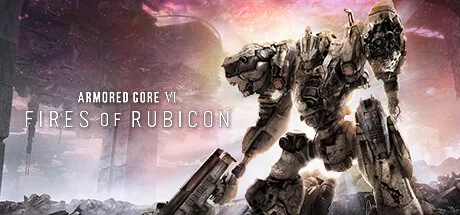
Armored Core VI: Fires of Rubicon’s PC reputation is broadly positive, but the negative feedback has clear clusters. Third-party review roundups put player criticism on crashes and frame drops, plus weaker-or-absent story and a “more Souls than mech” tilt. Crashes and frame drops are the ones settings and configuration can actually relieve — and that is this page’s job.
First, the boundary: this is a qualitative optimization guide built on verified facts and mechanism common sense. No specific GPU models, CPU models or frame-rate numbers appear anywhere. The fact cards include no official spec sheet, so official requirements live exclusively on the game’s store page on its distribution platform. Any concrete “you need at least X” claim goes unquoted here.
What this page gives you is the right diagnostic order — confirm the official bar, tune the graphics settings, check device-specific support, then understand external factors like sale windows — while you verify the numbers yourself on the store page. Player-measured results may shift with patches; the in-game and store-page displays rule.
One: Read the Complaints First — Where Crashes and Drops Cluster#
Before optimizing, classify your problem. Third-party roundups split the negative feedback into directions:
| Feedback direction | Type | Can settings/config help |
|---|---|---|
| Crashes and frame drops | Technical performance | Yes — settings, drivers, background management |
| Weak or missing story | Content opinion | Unrelated to configuration |
| Too Souls-like, not mech enough | Gameplay-taste criticism | Unrelated to configuration |
The table’s point: only the first row is in this page’s scope. The other two are taste-and-expectation issues — graphics settings will not touch them.
For crashes and frame drops, the reasonable order is:
- Confirm the device meets the official requirements (next section).
- Check whether graphics settings exceed the device’s actual capacity.
- Rule out background processes and system-level interference.
- Look into specific-device support (handhelds in particular).
| Stage | Focus | Expected effect |
|---|---|---|
| Requirements bar | Official minimum and recommended specs | Whether the device has a baseline to run |
| Graphics settings | Resolution, effects, frame cap | Lower render pressure, steadier frames |
| System environment | Background load, driver state | Fewer crash triggers |
| Device support | Handhelds and specific platforms | Reuse verified setting approaches |
Two: Official Requirements — The Store Page Is the Source#
This is the page’s most important boundary statement. The fact cards give no configuration numbers, so:
- Official minimum and recommended specs: check the game’s store page on its distribution platform; the store page’s current display is authoritative.
- Not listed here: GPU models, CPU models, memory sizes, storage footprints — nothing filled in, guessed, or relayed unverified.
- Version drift: requirements and optimization status move with game and driver updates — defer to the store page and in-game notices at your time.
Why so strict? Because third-party relayed spec sheets are often stale or contradictory, and copying them misleads readers. Rather than hand over possibly wrong numbers, this page hands over the lookup path.
| Information | This page’s approach | How you should get it |
|---|---|---|
| Minimum specs | No invented numbers | Store page’s official requirements section |
| Recommended specs | No invented numbers | Store page’s official requirements section |
| Storage footprint | No invented numbers | Store page’s official requirements section |
| Optimization status | Qualitative description only | Store page plus player reports, noting version drift |
For the game’s basics and review sources, see the game overview page.
Three: Graphics Settings and Frame Stability — Qualitative Logic#
Without touching numbers, the tuning logic still has substance. The core principle: unstable frames usually mean render pressure exceeds device capacity, so every adjustment aims to “reduce pressure while keeping the image acceptable”.
Adjust along these dimensions qualitatively:
- Resolution: the biggest lever on render pressure. With obvious frame drops, lower the render resolution first or enable the game’s/driver’s upscaling.
- Effects: shadows, reflections and ambient occlusion are the usual performance hogs — lower them one by one while the image stays tolerable.
- Frame cap: locking a cap the device can hold steady usually beats letting the frame rate swing wildly.
- VSync and related options: decide by whether tearing or input latency actually shows.
| Adjustment | Qualitative frame impact | Advice |
|---|---|---|
| Render resolution | Large | First lever when drops appear |
| Shadows and reflections | Large | Lower within acceptable image quality |
| Environmental effects | Medium | Test item by item, keep or drop |
| Frame cap | Stability | Set to what the device holds steady |
| Background programs | Crashes and drops | Close unneeded apps before playing |
Method-wise, change one item at a time: after each change, return to the game and watch frames and stability — that is how the real bottleneck reveals itself. Lowering everything at once may fix the symptom, but you will never know which lever mattered.
All of the above is qualitative; actual results depend on device and game version. No frame-rate targets or setting presets appear on this page.
Four: Handheld Playability#
One handheld-friendly fact: the game supports the Steam Deck, marked Playable. You can run it on a handheld rather than a desktop only.
“Playable” is a limited positive and needs correct reading:
| Reading | Detail |
|---|---|
| Platform mark | The Playable tag means the basic conditions to run are met |
| Expectation | Handheld performance is finite — settings and frames may need further compromise |
| Setting approach | Reuse the qualitative method above: frames first, then resolution and effects |
| Numbers boundary | Actual frame behavior varies by device version and settings; no numbers here |
For handheld users the practical path: confirm the store-page requirements first, then tune in-game with “stability first”, accepting a lower render resolution when needed. If the handheld is your main platform, weigh this before buying and configuring.
The fact cards take the PC version as their baseline; the handheld’s Playable mark comes from platform data — actual experience defers to the device.
Five: Sale Windows and the Player-Surge Backdrop#
Understanding surge timing explains why crash-and-drop discussions cluster in certain periods. The fact cards record the sale-to-playercount relationship:
- During the June 2026 sale, the daily peak rose about 107% versus the prior two weeks.
- Sales are typically 50% off, four times in the last 12 months; the historical price lows were the 50%-off tiers of December 2025 and June 2026.
- For player counts, the standing phrasing is “~156K all-time peak, recent daily peaks near a thousand”.
| Fact | Figure/phrase | Note |
|---|---|---|
| Sale-window surge | June 2026 daily peak +~107% vs prior two weeks | The window new players flood in |
| Sale cadence | 4 in the last 12 months, typically 50% off | Price-sensitive players enter here |
| All-time peak | ~156K | Launch-window (Aug 2023) level |
| Recent daily peaks | Near a thousand | Settled back to steady state |
A surge is not itself a performance problem — it means many differently configured new devices run the game at once, so crash-and-drop threads multiply. For new players the right move is still: check the official requirements, diagnose item by item, and do not let the clustered negativity set the narrative.
For the source nature of pricing facts, and why player-count snapshots cannot be read as one moment in time, see the FAQ and glossary.
Six: Consoles and Other Unverified Blanks#
The fact cards take the PC version as their baseline; the following are explicitly unverified and this page leaves them blank:
| Unverified item | This page’s treatment |
|---|---|
| Console performance specifics | Not written — unverified |
| Console inclusion of the expansion | Not written — unverified |
| Specific spec numbers and frame targets | Not written — store page rules |
| Third-party relayed hardware bars | Not quoted, not relayed |
The blanks are not evasion — they are duty to the reader. Printing unverified information into a guide, especially on hardware and performance where purchase decisions hang, risks far more than it gains.
Pulling the page together: verify the store page’s official bar first, adjust graphics one item at a time, watch background load and driver state, handheld users accept the Playable mark’s compromises, and stay rational during sale-window surges. Do these and most performance trouble can be located and eased.