Codex Gallery#
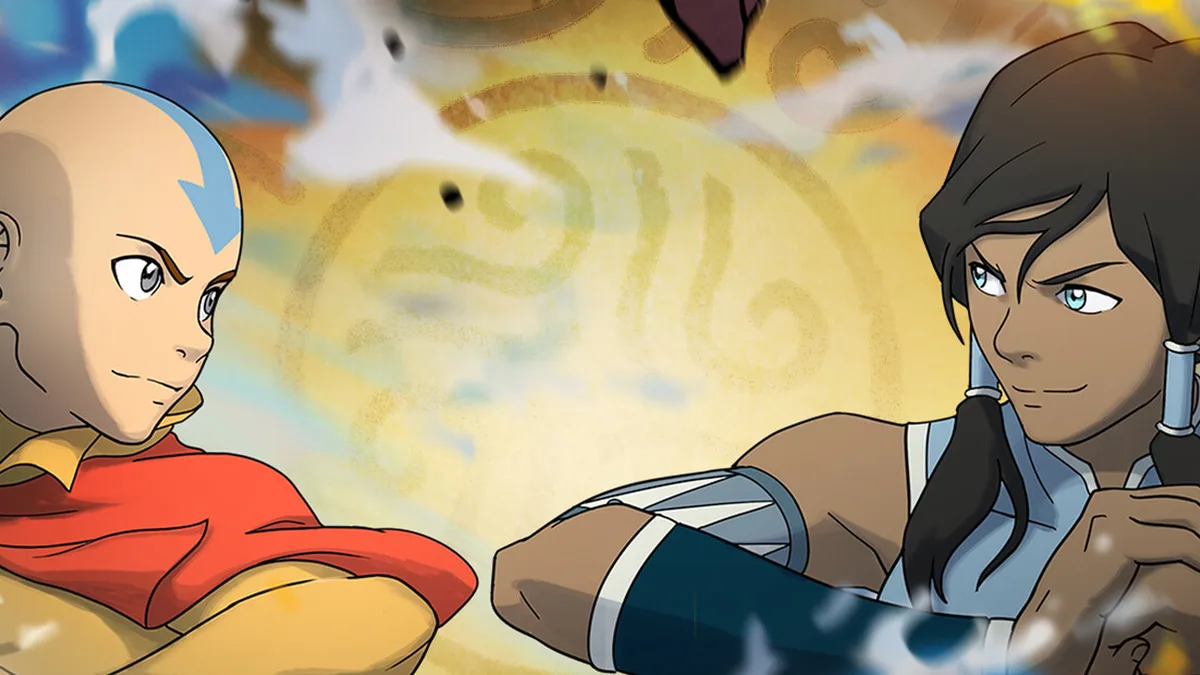
Avatar Legends spans both Avatar: The Last Airbender and The Legend of Korra. Its visual core is not “who looks the most lavish,” but using colour, posture and effects to distinguish the four elemental factions. Once you can read this visual language (the art characteristics), you will not only identify a character’s nation and bending school faster, but also catch the most recognisable moments in replays and screenshots.
The Art Language of the Four Elemental Factions#
The colour schemes and motion design in this game follow bending philosophy all the way through, with colour, stance and effect shapes each pointing somewhere specific. The table below is your entry point for telling characters and factions apart.
| Faction | Primary Colours | Movement and Stance | Effect Shape | Key Identification Points |
|---|---|---|---|---|
| Water Tribe | Mainly blue and white, cold low-temperature tones | Movements circle like Tai Chi, softness overcoming hardness, weight shifting constantly under the feet | Winding water flows, bursting spray, ice-blue of freezing slow | Start-ups carry delay and arcs; heavy bending comes out slowly |
| Earth Kingdom | Heavy earthen browns, tans and greys | Steady stance, solid lower body, heavy footwork with little airtime | Rock fragments, cracks in the ground, earth-yellow of entangle rooting | Large low-hit coverage, heavy movements with a quake-like feel |
| Fire Nation | Orange-red, gold and blue flame — warm colours with a sense of high heat | Direct, hard-hitting Northern Shaolin style, highly aggressive | Bright yellow flame, burning sparks, the cold contrast of blue flame | Straightforward hitboxes; fire is the usual pick for close-range pressure |
| Air Nomads | Yellow, white and grass-green — the light colours of moving air | Bagua palm-style circular agility, the body often leaving the ground | Whirlwind vortex, extended launch, drifting airflow | Floaty movements, fast start-up, clear recovery on heavy bending |
Character Appearance and Colour Features#
Characters come from different eras and nations, and their designs convey faction and personality directly. Below are the appearance anchors you can identify at a glance in a match.
| Character | Faction | Appearance and Colour Features | Visual Anchor When Framing a Shot |
|---|---|---|---|
| Aang | Air Nomads | Shaved head with the signature arrow tattoo, yellow and white monk robes | The ribbons and tattoo silhouette while flying and riding air currents |
| Zuko | Fire Nation | Burn scar over the left eye, red-and-gold Fire Nation attire | The instant the blade flash and the flame leave together |
| Katara | Water Tribe | Blue Water Tribe outfit, signature Northern Water Tribe hair ornaments | The turning frame where the water whip freezes in blue light |
| Toph | Earth Kingdom | Short but solid build, green Earth Kingdom attire | The pose of sensing the earth beneath her feet and bending with her eyes closed |
| Azula | Fire Nation | Cold, fierce blue flame as her hallmark, royal armour | High-contrast frames with blue flame and ordinary flame in the same shot |
| Kuvira | Earth Kingdom | Metal armour and metal colossus, imperial officer styling | Compositions with the metal whip extending and the colossus dominating the frame |
| Bolin | Earth Kingdom | A lava-type fighter, with the composite colours of earth and fire | The burst frame where rising lava and rock fragments intertwine |
| Mako | Fire Nation | Dark urban sportswear, with lightning as his enhancement marker | The moment lightning and flame effects overlap |
| Iroh | Multi-element | White-haired elder in Fire Nation robes, flame without and lightning within | Ultimate compositions with several colours in one frame during elemental fusion |
Stage Scenery and Information Hierarchy#
The match stages draw on locations from both series, and the scenery is not just a backdrop — it carries interactive destruction feedback (cracked walls, split floors). When you take a screenshot, the depth and silhouette of the stage decide whether the image holds up.
| Stage Style | Typical Environmental Features | Screenshot Bonus Points |
|---|---|---|
| Ice and snow waters | Reflective ice surfaces, auroras meeting the sky, cold blue tones | The reflective layering of spray and ice crystals in cold colours |
| Earth and rock terrain | Stone pillars, canyons, yellow earth gullies, warm brown tones | Dust and rock fragments thrown up by low bending |
| Fire Nation capital | Molten firelight, red building outlines | The warm-cold collision of firelight and blue flame |
| Air Nomad floating isles | Suspended stone platforms, seas of cloud, grassy airflow | Negative space between the airborne character and the clouds below |
UI and HUD Structure#
You need to read the HUD before you can shoot a clean frame without obstruction. The information elements of this game’s match interface break down roughly as follows.
| UI Element | Position and Function | Handling in Screenshots |
|---|---|---|
| Both health bars | Top left and top right of the screen | For a pure character shot, turn them off in settings or wait until health is close |
| Qi gauge | Below the health bars; governs bending and Awakening | Six full bars entering Awakening is the key shooting window |
| Element indicator | Icon and cooldown of the currently selected element | The icon changing during a combo switch is highly recognisable |
| Combo counter | Screen corner or beside the character | A high combo count makes good material for a fixed camera |
Effect Language and Identifying Finisher Shots#
Effects are the most recognisable part of screenshots in this game. Each element has a completely different visual form and freeze moment on its finishers.
| Element | Effect Features | High-Recognition Freeze Frame |
|---|---|---|
| Water | Winding water curtain, scattered droplets, frozen blue and white | The instant of freezing right after the water whip connects |
| Earth | Rock fragments, ground cracks, entangling earth-yellow | The moment the ground splits and the fragments burst together |
| Fire | Bright yellow tongues of flame, burning sparks, blue flame | The frame where the blue flame peaks and warm meets cold |
| Air | Whirlwind vortex, extended launch, drifting airflow | The hang-time curve of a launched character being stretched out |
How to Take Good Screenshots in This Fighting Game#
The hard part of fighting game screenshots is that “the great moment passes in an instant.” Here are executable screenshot criteria rather than vague ideas about image quality.
| Screenshot Scene | Action Criterion | Recommended Settings and Timing |
|---|---|---|
| Finisher hit moment | Capture the hit-stop frame | Position the opponent in training mode and lock the hit freeze using the tutorial frame data |
| Awakening burst | The Awakening instant at six bars of Qi and below 30% health | The full-body effect and stance at the start of Awakening are the best composition |
| Mid-combo | The momentary effect of an elemental switch or reset move | Review frame by frame in replay mode and pick the switching frame |
| Ultimate finish | The settlement freeze of a super or ultimate move | Hide the HUD before pressing the capture button when the ultimate triggers |
A few concrete, practical tricks:
- Hide the HUD: for most camera shots in this game, the information elements get in the way. First turn off any HUD elements you do not need in settings, or use replay mode for a clean frame.
- Freeze it in training mode: training mode provides frame data, input display and AI behaviour settings, so you can place the opponent in a fixed position and rehearse until the very frame the hit lands.
- Pull frames from replays: great combos often flash by; replay mode lets you go frame by frame to pick the one where the elemental effect is biggest and the character’s expression is most exaggerated.
- Pick stages with warm-cold contrast: putting a warm Fire Nation scene together with blue flame or cold Water Tribe effects in the same frame gives the strongest visual tension.
- Do not shoot from point-blank range: the moments with the fullest effects usually come with the character being launched or drifting out of frame, so leave room in the composition for the motion to extend.
Building Screenshot Lineups Around the Counter Cycle#
The elemental counter cycle in this game is Water beats Fire, Fire beats Air, Air beats Earth, Earth beats Water. Beyond its effect on match decisions, this relationship is also a natural theme for image sets: when two countering elements share a frame, the warm-cold contrast and the shape of their effects collide most strongly.
| Counter Pair | Visual Theme When Framed Together | Suggested Camera Position |
|---|---|---|
| Water vs Fire | The collision of ice-blue freezing and scorching tongues of flame | Get the water effect freezing and the fire effect erupting in the same frame |
| Fire vs Air | Bright yellow flame woven together with a whirlwind vortex | Compose the shot where flame and swirling airflow interlace |
| Air vs Earth | The motion-stillness contrast of drifting air and heavy rock | One light, one heavy, highlighting the gap between hang time and ground pressure |
| Earth vs Water | Earth-yellow fragments placed alongside a winding water curtain | Frame low earth bending and the spray on the water surface together |
Quick Reference to Common Screenshot Themes#
| Theme | Subject | One-Line Tip |
|---|---|---|
| Faction collection | One representative from each of the four elements | Use elemental switching to show one character in different colours |
| Ultimate compilation | The settlement freeze of each character’s ultimate | Hide the HUD before the ultimate triggers |
| Match moments | Hit stop and hang time after a launch | Go frame by frame in replay to find the biggest effect |
| Empty stage shots | Interactive, destructible scenery | Turn the characters off for a pure scenery composition |