Late-Summer 2026 Value Gaming PC Build Recommendations#
Zixing | July 31, 2026
Hello everyone, I’m Zixing.
If you’ve followed the DIY hardware market in recent weeks, or tried picking a graphics card and memory kit on an e-commerce platform, you’ve most likely felt a chill — or rather, a heat wave coming from your wallet.
As global AI infrastructure buildout keeps siphoning high-bandwidth memory (HBM) and high-end DRAM capacity, consumer memory and VRAM costs saw a notable structural adjustment in late summer. AMD and NVIDIA successively raised GPU core and VRAM package prices in July, and spot prices for memory kits and SSDs are up from six months ago.
In this market, the traditional “buy early, enjoy early; waiters get discounts” logic is changing. How do you spend carefully in a price-hike wave, avoid premium traps, and build the best-value rig that smoothly plays the AAA titles of late 2026 and the years ahead?
In this article I’ve put together three late-summer value build plans covering the ¥5000 to ¥9000 tiers. No inflated premiums — measured performance and objective data do the talking.
Table of Contents#
- Late-summer 2026 hardware market macro analysis
- Build 1: ¥5000 tier — 1080p/2K mainstream value build
- Build 2: ¥7000 tier — the 2K high-refresh sweet spot
- Build 3: ¥9000 tier — 2K extreme high refresh / entry 4K
- Three builds compared: performance and cost
- Zixing’s late-summer build pitfall guide
I. Late-Summer 2026 Hardware Market Macro Analysis#
Before giving specific part lists, we need to nail down the current (late July 2026) hardware price logic. Blindly chasing new or blindly waiting — neither works in the current structural shortage.
1.1 Storage and VRAM Cost Pressure#
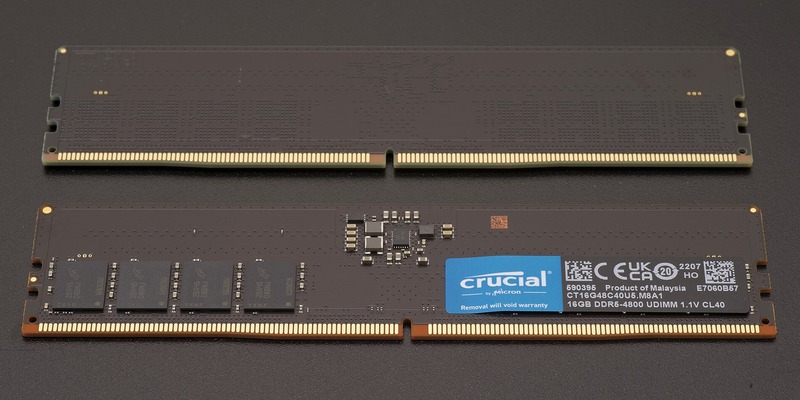
Since Samsung, SK Hynix, and Micron have committed over 70% of advanced DRAM capacity to HBM and enterprise memory for AI servers, spot supply of consumer GDDR7/GDDR6 VRAM and DDR5 memory chips stays tight.
- VRAM impact: VRAM is roughly 20%-30% of GPU cost, and every 2GB VRAM cost increase in this cycle passes directly to retail prices.
- Memory impact: 32GB DDR5 kits have churned since spring and now sit at a relatively high but stabilizing level; buy once and be done, avoiding the sunk cost of frequent memory upgrades later.
1.2 Buying Principles#
- Refuse premium blind boxes: stay rational about mid/high-end GPUs caught in the hike wind (like some heavily marked-up Ti-series models) and pick models with restrained pricing.
- Platform lifespan first: choose motherboards and CPU platforms with long life cycles and upgrade headroom (like AMD’s AM5 platform), so future upgrades need only one component swap and cut the cost of a rebuild three years out.
- Leave PSU headroom: facing future power draw increases, never skimp on the power supply budget.
II. Build 1: ¥5000 Tier — 1080p/2K Mainstream Value Build#
Target: players on a budget who still care about image quality — 1080p high settings and smooth play in some 2K titles, plus everyday productivity and future upgrade room.
2.1 Part List#
| Part | Recommended model | Reference price | Why / notes |
|---|---|---|---|
| CPU | AMD Ryzen 5 7500F | ¥950 | The absolute value king of the AM5 platform; 6 cores/12 threads, solid gaming performance. |
| Motherboard | ASUS TUF Gaming B650M-E | ¥750 | Solid VRMs, rich expansion, PCIe 4.0 support. |
| GPU | Intel Arc B580 12GB or RTX 4060 | ¥1600 - ¥2200 | 12GB VRAM or a mature sweet spot; standout value in the current environment. |
| Memory | Lexar / Kingston DDR5 32GB (16GB×2) 5600MHz | ¥450 | Dual-channel 32GB — goodbye, memory anxiety. |
| Storage | WD Black SN770 1TB NVMe | ¥450 | Fast PCIe 4.0 SSD with stable read/write. |
| PSU | Seasonic G12 GC-550 550W (80+ Gold) | ¥350 | Gold certified, high efficiency, stable and reliable. |
| Case | Cooler Master MasterBox Q300L | ¥250 | Compact M-ATX with good airflow. |
| Cooler | Thermalright Assassin X 120 Refined SE | ¥90 | More than enough for the 7500F, and quiet. |
| Total | —— | About ¥4900 - ¥5500 | Varies with final GPU choice |
2.2 Key Part Notes#
- CPU choice: on AM5, the Ryzen 5 7500F remains the best-value gaming CPU under ¥1,000. It not only feeds mainstream sweet-spot GPUs; more importantly its AM5 socket upgrades seamlessly to Ryzen 9000 and even next-gen processors.
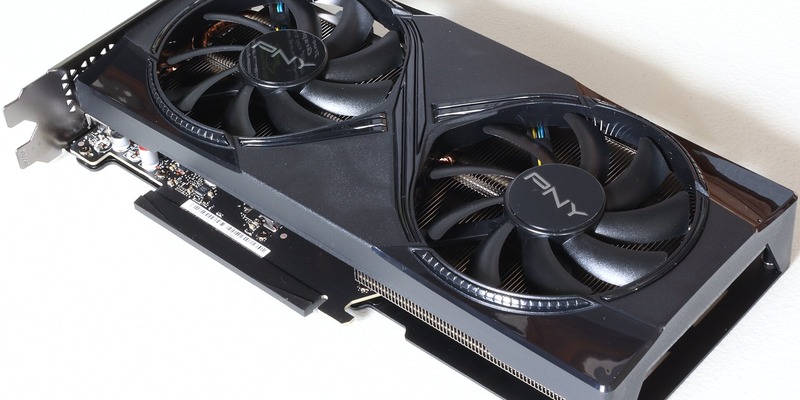
- GPU choice: if you want big VRAM for future texture demands, the Intel Arc B580 12GB offers excellent value; if you lean on ray tracing and the DLSS ecosystem, the RTX 4060 is the stable, conservative pick.
2.3 Expected Gaming Performance#
- Black Myth: Wukong: 1080p high / mid-level DLSS, steady 60-70 fps.
- Cyberpunk 2077: 1080p high, 65 fps average.
- EA SPORTS FC 26: 1080p max settings, steady 160+ fps.
- Monster Hunter Wilds: 1080p medium + FSR Quality mode, smooth play.
III. Build 2: ¥7000 Tier — The 2K High-Refresh Sweet Spot#
Target: the most balanced mainstream build of late summer 2026. Aimed at 2K high-refresh gaming — big open-world AAA titles and competitive online games alike.
3.1 Part List#
| Part | Recommended model | Reference price | Why / notes |
|---|---|---|---|
| CPU | AMD Ryzen 5 7600X or Ryzen 7 7700 | ¥1250 / ¥1650 | 8 cores/16 threads (7700) or a high-performing 6 cores; gaming and multitasking both covered. |
| Motherboard | Gigabyte B650M AORUS ELITE AX | ¥1050 | Excellent VRM heatsink armor, Wi-Fi 6E wireless standard. |
| GPU | RTX 5070 or Radeon RX 9060 XT 16GB | ¥3600 | The new-generation sweet spot; the 2K gaming workhorse. |
| Memory | Corsair / Kingston DDR5 32GB (16GB×2) 6000MHz C30 | ¥600 | The AM5 golden frequency (6000MHz C30) for maximum efficiency. |
| Storage | Samsung 990 PRO 1TB or WD Black SN850X 1TB | ¥650 | Flagship PCIe 4.0 SSDs with extremely fast loading. |
| PSU | MSI MAG A650GL 650W (80+ Gold, fully modular) | ¥450 | Fully modular for clean cabling, with ample redundancy. |
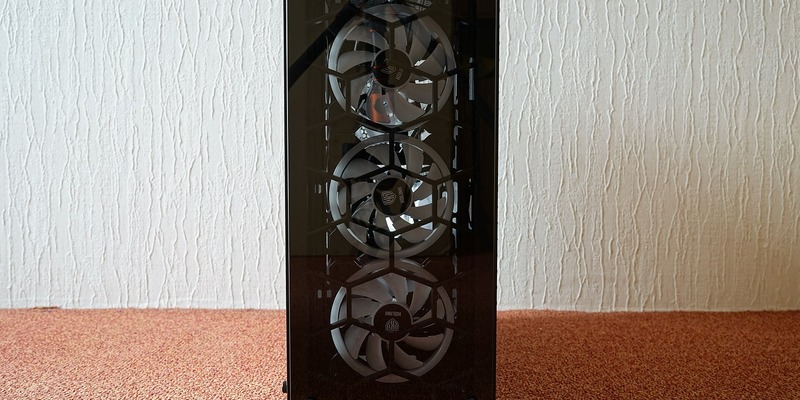
| Case | Lian Li Lancool 216 or Antec CX500M | ¥400 | Excellent airflow and hardware compatibility. |
| Cooler | Thermalright Peerless Assassin 120 SE (dual-tower) | ¥180 | The ceiling of sub-¥200 dual-tower air cooling; handles mid/high-end CPUs easily. |
| Total | —— | About ¥7100 - ¥7600 | Balanced performance, no weak links |
3.2 Key Part Notes#
- Memory frequency: at the ¥7000 tier we deliberately picked DDR5 at 6000MHz C30. For AMD Ryzen 7000/9000 CPUs, 6000MHz with low timings (CL30) brings a meaningful drop in memory latency that converts directly into higher FPS in mainstream games.
- GPU and 2K: the RTX 5070 or RX 9060 XT 16GB has ample compute and VRAM; at 2K it handles two more years of AAA titles without strain, avoiding the 8GB card’s VRAM blowups at high textures.
3.3 Expected Gaming Performance#
- Black Myth: Wukong: 2K / cinematic settings + DLSS/FSR, steady 65+ fps.
- Elden Ring: Nightreign: 2K max settings, full 60 fps.
- Cyberpunk 2077: 2K high + ray tracing (DLSS Quality), 75 fps average.
- Valorant / CS2: at 2K, easily maxes out 240Hz+ high-refresh displays.
3.4 AM5 Memory OC and EXPO Notes#
At the ¥7000 tier we deliberately chose DDR5 at 6000MHz C30. For AMD Ryzen 7000/9000 CPUs, 6000MHz with low timings (CL30) brings a meaningful drop in memory latency.
- IMC frequency (FCLK): set FCLK to 2000MHz for the ideal 1:1 efficiency ratio.
- Enable EXPO: after the build posts, be sure to enter the BIOS and enable the EXPO (AMD Extended Profiles for Overcoming) profile; otherwise memory runs at the default 4800MHz conservative speed, wasting about 10% of your game FPS.
IV. Build 3: ¥9000 Tier — 2K Extreme High Refresh / Entry 4K#
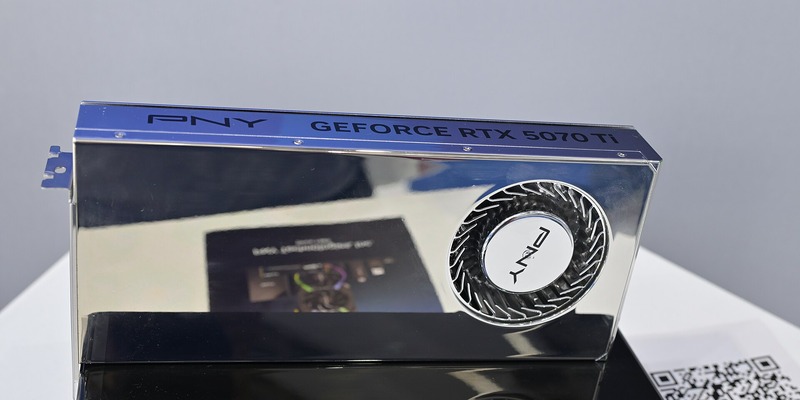
Target: hardcore players chasing the ultimate visual experience who want to max settings mindlessly at 2K high refresh or 4K.
4.1 Part List#
| Part | Recommended model | Reference price | Why / notes |
|---|---|---|---|
| CPU | AMD Ryzen 7 9700X or Ryzen 7 7800X3D (depending on tray market) | ¥2200 - ¥2600 | A top gaming CPU; 3D V-Cache delivers an unmatched FPS floor. |
| Motherboard | MSI MAG X670E TOMAHAWK WIFI or a flagship B650 | ¥1450 | High-spec VRMs, PCIe 5.0 GPU/SSD support (on select models). |
| GPU | RTX 5070 Ti or Radeon RX 7900 XT / 8800 XT | ¥4800 - ¥5500 | Near-flagship graphics; a viable 4K gaming option. |
| Memory | G.Skill Trident Z5 RGB DDR5 32GB (16G×2) 6000MHz C30 | ¥750 | Premium ICs, stable with excellent OC potential. |
| Storage | Acer Predator GM7000 2TB or Solidigm P44 Pro 2TB | ¥950 | 2TB of capacity — goodbye to “install one game, delete another.” |
| PSU | Corsair RM850x / Seasonic Focus GX-850 850W | ¥750 | 850W Gold fully modular, unbothered by transient spikes. |
| Case | Fractal Design North or NZXT H5 Flow | ¥600 | Minimal industrial design or wood accents; looks and airflow both. |
| Cooler | DeepCool Assassin IV or a 360mm AIO | ¥500 | Flagship cooling for high-performance CPUs. |
| Total | —— | About ¥9200 - ¥9900 | Enthusiast-grade gaming experience |
4.2 Key Part Notes#
- X3D CPUs and gaming FPS: if the budget leans toward gaming performance, the Ryzen 7 7800X3D (or newer X3D models), with its huge L3 cache, delivers a notable 15%-25% FPS uplift in strategy sims, online games, and open-world blockbusters — especially improving 1% Low frames (lowest-frame performance), making gameplay silky smooth.
- Big storage and PSU: at the ¥9000 tier we standardize 2TB fast NVMe and an 850W PSU. Current AAA titles easily exceed 100GB+, where 1TB gets tight; the 850W PSU leaves ample safety margin for a future flagship GPU swap.
V. Three Builds Compared: Performance and Cost#
To make the choice more intuitive, here’s a summary comparison of the three builds’ core specs and use cases:
| Build | Budget range | Core target resolution | Suggested display | Key strengths | Upgrade path |
|---|---|---|---|---|---|
| Build 1 (¥5000 tier) | ¥4900 - ¥5500 | 1080p / light 2K | 1080p 144Hz / 2K 75Hz | Low entry, big AM5 platform potential | Swap GPU and CPU later |
| Build 2 (¥7000 tier) | ¥7100 - ¥7600 | Mainstream 2K high refresh | 2K 144Hz - 240Hz | Balanced with no weak links; the 2K workhorse | Memory and SSD already optimal |
| Build 3 (¥9000 tier) | ¥9200 - ¥9900 | 2K extreme high refresh / entry 4K | 2K 240Hz or 4K 144Hz | Top gaming FPS, 2TB capacity | No major changes for five years |
VI. Zixing’s Late-Summer Build Pitfall Guide#
Finally, given the recent unusual market, a few heartfelt words as a hardware editor:
- Don’t be held hostage by “8GB VRAM” at 2K/4K: With Unreal Engine 5 now ubiquitous, 2026’s AAA titles demand ever more VRAM bandwidth and capacity. Among GPUs above ¥2,000, prioritize 12GB or 16GB VRAM models to avoid dropping texture quality two years from now when VRAM blows up.
- Never skimp by buying single-channel memory: The DDR5 era demands dual channel. Buying a 16GB×2 (32GB) kit directly not only avoids the frequency compatibility headaches of a later single-channel upgrade, it also leaves generous memory headroom for video editing and running multiple games.
- Take the price-hike wave rationally; buy by need: If your current rig still fights (say, an RTX 3060/4060-class card) and you don’t truly need a new one, waiting until Q4 this year is reasonable. But if the old machine is completely dead, or you must buy to greet the big second-half releases, pick your parts and buy directly. With AI compute demand on a long cycle, storage and VRAM costs are unlikely to plunge short term — buy early, enjoy early.
- Cooling vs. case airflow: High-performance hardware’s waste heat is no joke. Pick a case with a mesh front panel so cold air enters freely; follow the “front intake, rear exhaust, top assist” fan principle. Good cooling not only lowers hardware temperatures but keeps GPU and CPU at max boost long-term, avoiding thermal throttling that craters FPS.
- Motherboard VRMs and BIOS updates: Don’t blindly worship high-end X-series chipsets. For 90% of gamers, a well-built B650 board is entirely sufficient. Also, after building, update the motherboard BIOS first thing — it improves compatibility and stability with new memory kits and often yields a small CPU efficiency gain.
VIII. Monitor Pairing Suggestions#
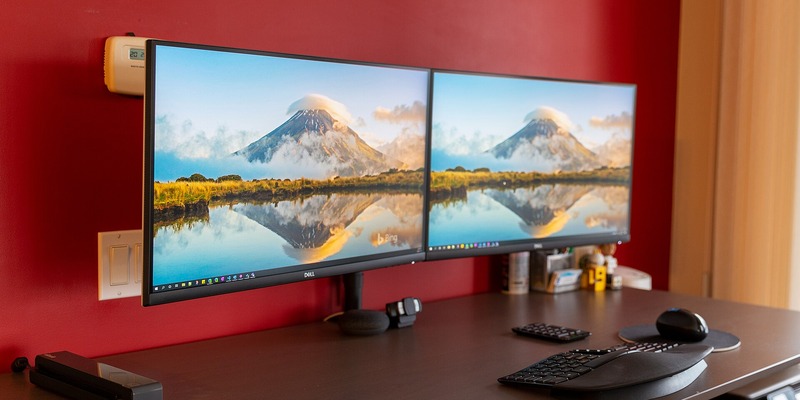
A good rig needs the right display to unleash its full power. For the three builds above, here are my monitor pairing suggestions:
- Build 1 (¥5000 tier) pairing: a 27-inch 2K, 144Hz-180Hz Fast IPS display. Sharp enough at 1080p/2K with high-refresh smoothness.
- Build 2 (¥7000 tier) pairing: a 27-inch 2K, 240Hz-360Hz high-refresh display, or an ultrawide. A perfect match for the RTX 5070 / RX 9060 XT’s graphics output.
- Build 3 (¥9000 tier) pairing: a 32-inch 4K 144Hz display, or an OLED 2K high-refresh panel, for ultimate contrast and color.
IX. FAQ#
Q1: Does buying DDR5 memory today require caring about memory ICs? A: Mainstream DDR5 ICs come mainly from SK Hynix, Samsung, and Micron. Hynix A-Die / M-Die has the best reputation among players for OC potential and high-frequency stability; if budget allows, prefer kits explicitly marked as using Hynix ICs.
Q2: Is a 500W-550W PSU enough for a 7500F plus a mainstream GPU? A: For Build 1 (7500F + sweet-spot GPU), a rated 550W Gold PSU is entirely sufficient. But if you plan to upgrade to a higher-draw near-flagship GPU later, pick 650W or higher from the start.
Q3: Why recommend PCIe 4.0 SSDs instead of PCIe 5.0? A: PCIe 5.0 SSDs still command high prices, and in real game loading and daily boot scenarios the subjective gap vs PCIe 4.0 (like the SN770 and 990 PRO at 5000-7000 MB/s) is negligible, while heat and price are notably higher. For value, PCIe 4.0 remains the best choice today.
Q4: Tray or boxed CPU? A: For AMD Ryzen chips, buying tray units from reputable sellers (usually with store warranty) saves two to three hundred yuan — extremely good value. Choose a trusted seller and tray failure rates are extremely low; put the savings into the GPU or memory.
Q5: AIO liquid or air cooling? A: For mainstream CPUs like the 7500F and 7600X, a sub-¥200 air cooler (like a Thermalright single- or dual-tower) handles them with zero leak risk. Only high-performance, high-power flagship CPUs call for a 360mm AIO.
I hope these late-summer value build picks help. If you have questions about specific parts or compatibility, reach out in the comments or through our contact channels.
— Zixing, NTGame Hardware & Technology Editor-in-Chief